 RelayAn issue tracker with an MCP server, where Claude and the human share the board
Why an issue tracker of my own?
I used Linear to steer the work with Claude Code, but I wanted the issues on my own server and control over the tool.
Before anything was built, we went through what we actually used of Linear: all 71 calls to Linear's MCP server in the session logs, the team's statuses and labels, and the 25 issues in one project. It was a small part – issues, comments, three kinds of relations, status history and one project per repo. Nearly everything was written and read by Claude.
Relay
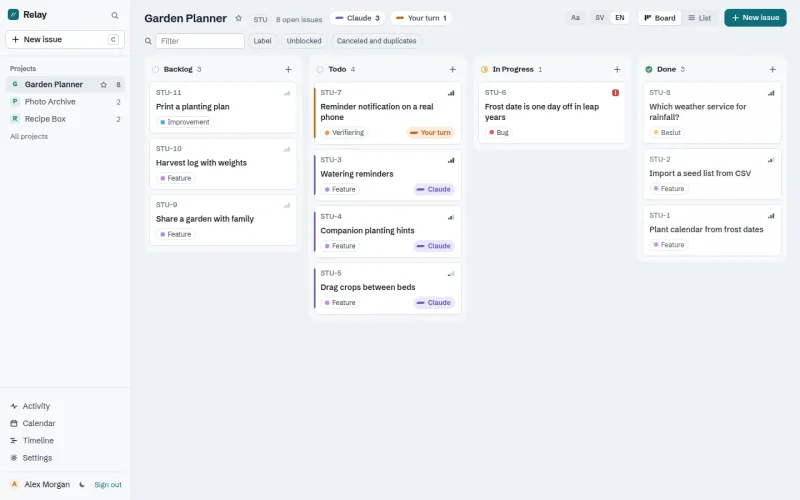
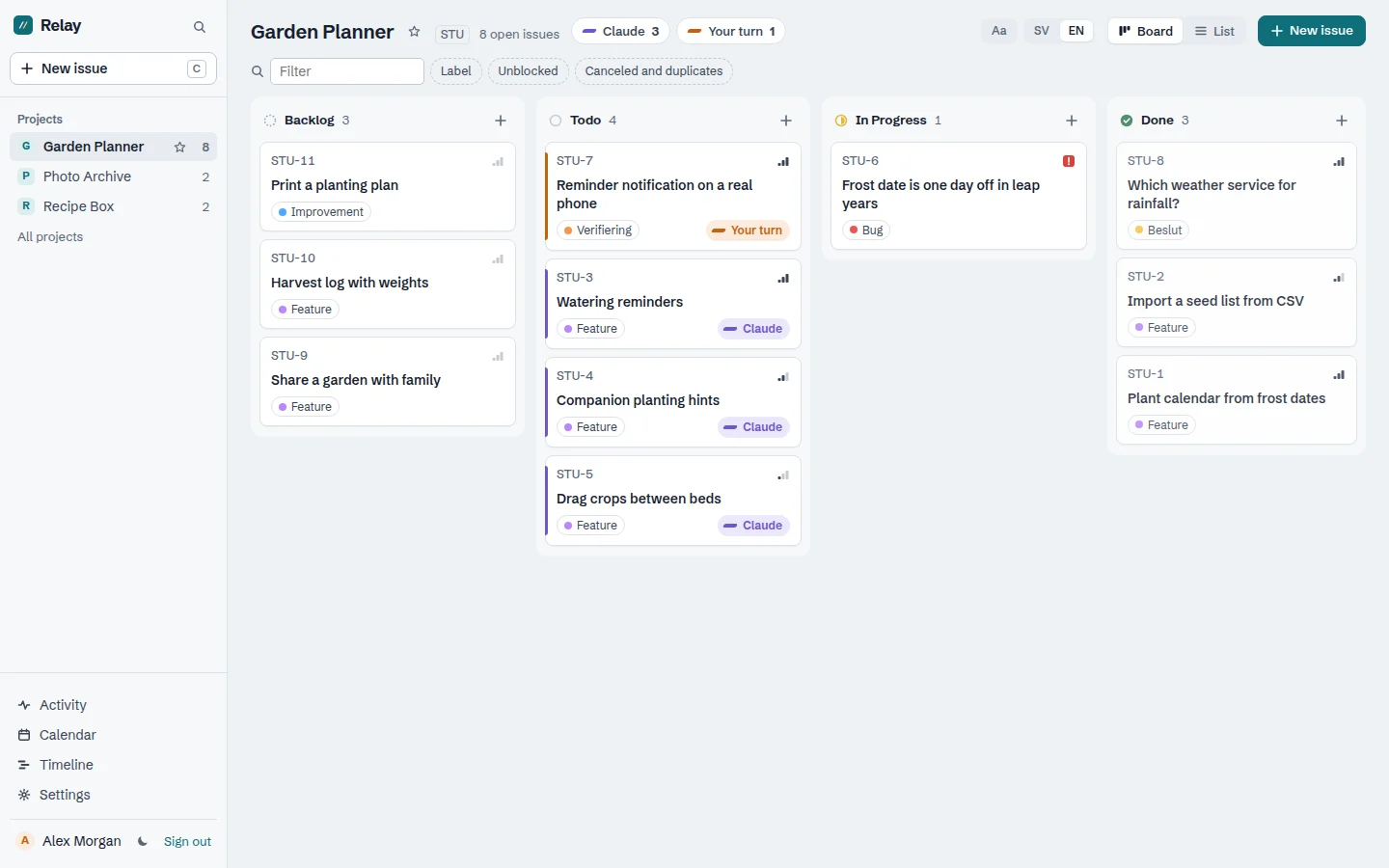
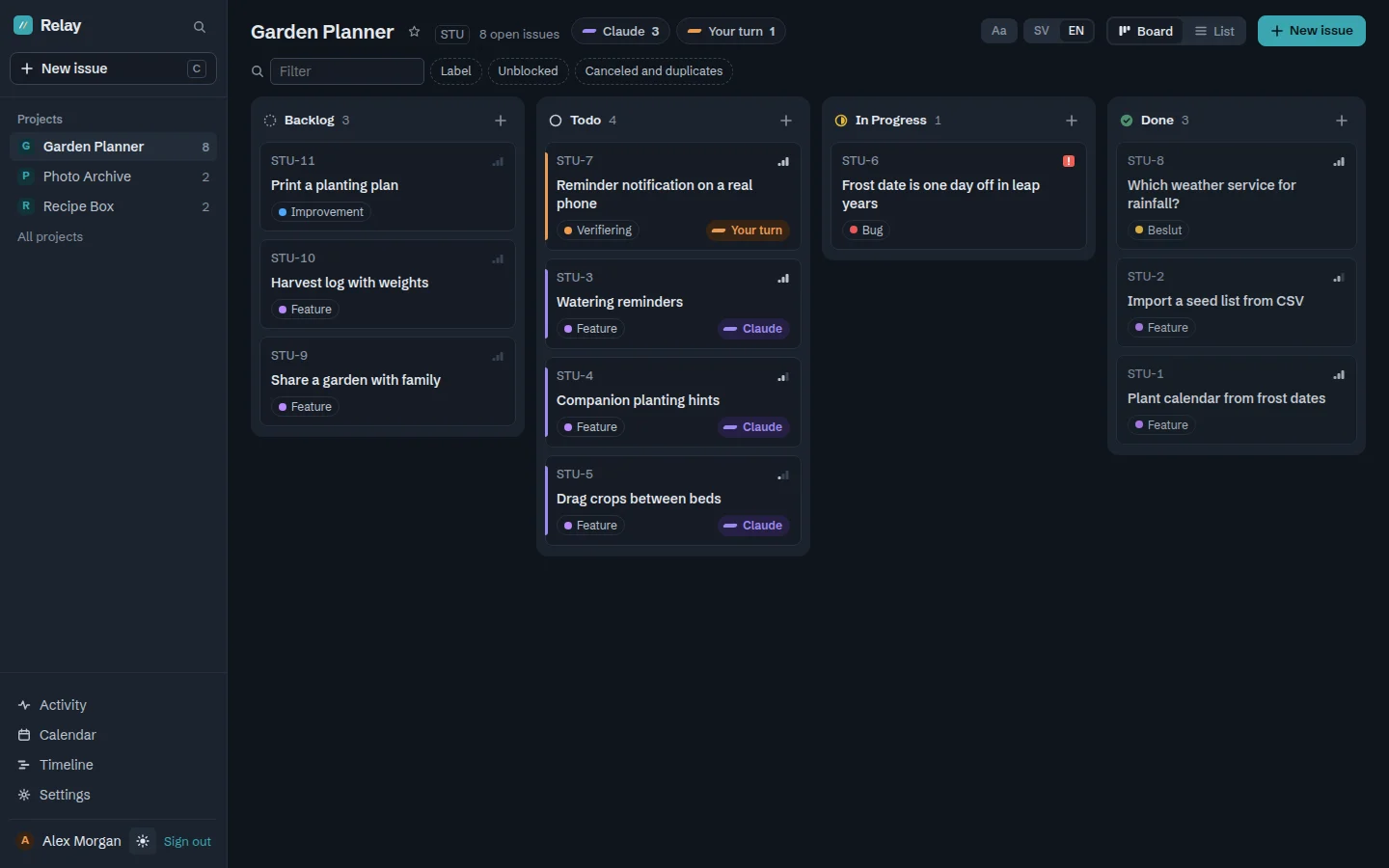
Relay is an issue tracker with a board and a list in the browser, and an MCP server for Claude. Issues have the same kind of identifiers as in Linear (AND-55), statuses with a type, labels, priority, relations, comments and status history. The MCP server's tools have Linear's names, parameters and field names, so the way of working written for Linear kept working unchanged. The issues were moved over from Linear, with their images.
What's built for working with Claude:
- Whose turn. Every open issue shows whether it's Claude's turn or the human's. It's worked out from the label – Feature is Claude's, Verifiering (verification) and Beslut (decision) are mine – and from "waiting for an answer", which clears when a human comments.
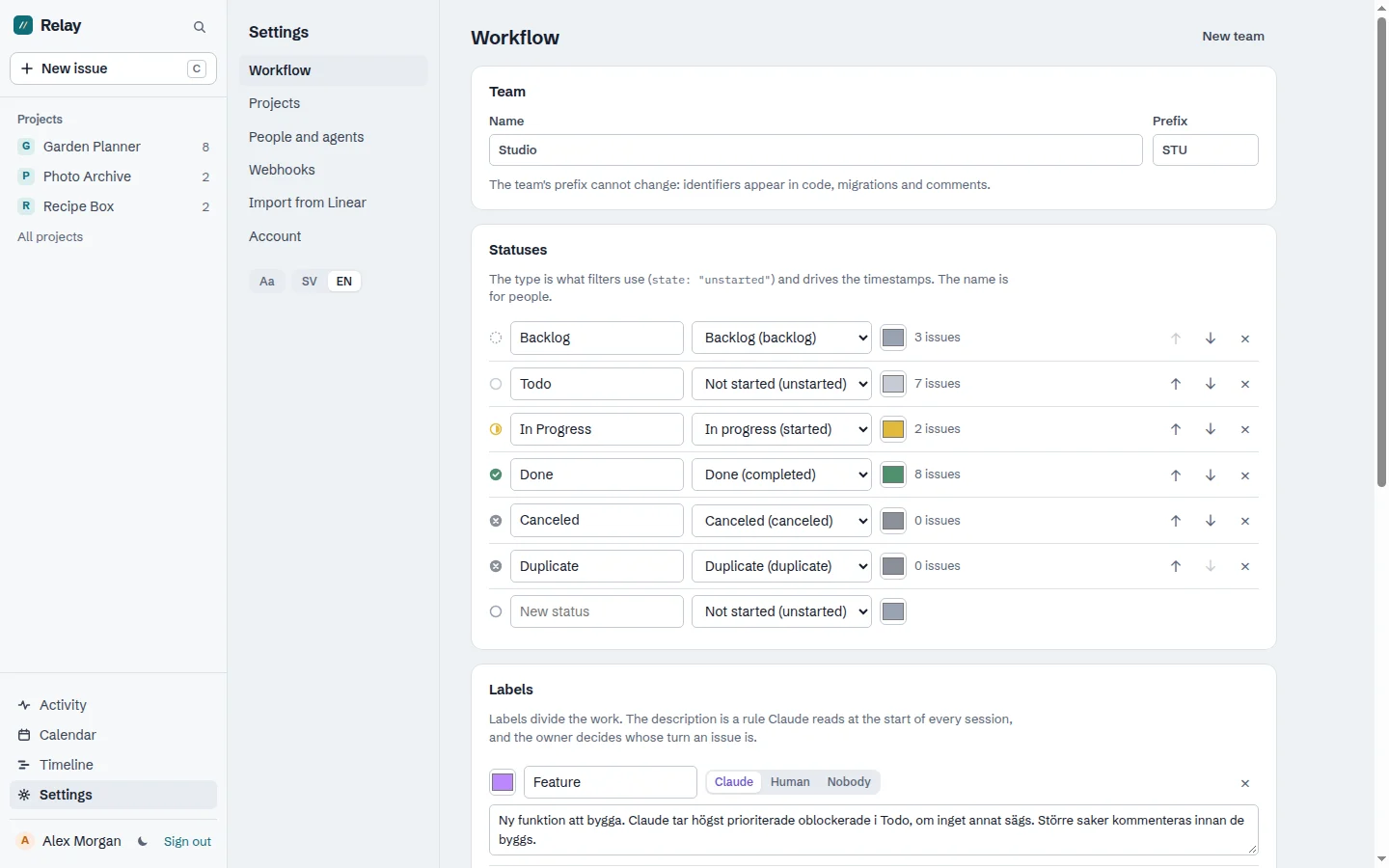
- Labels with rules. A label's description is a working rule that Claude reads at the start of every session.
get_board. One call at the start of a session gives the open issues by status, the labels' rules, what has changed and new comments since Claude last read the board.- One issue at a time per project for agents. Several Claude sessions can work on the same project, but only one at a time may have an issue in progress.
- Screenshots in comments, which Claude can look at with
get_attachment. - Webhooks that can wake a Claude session when I comment on an issue.
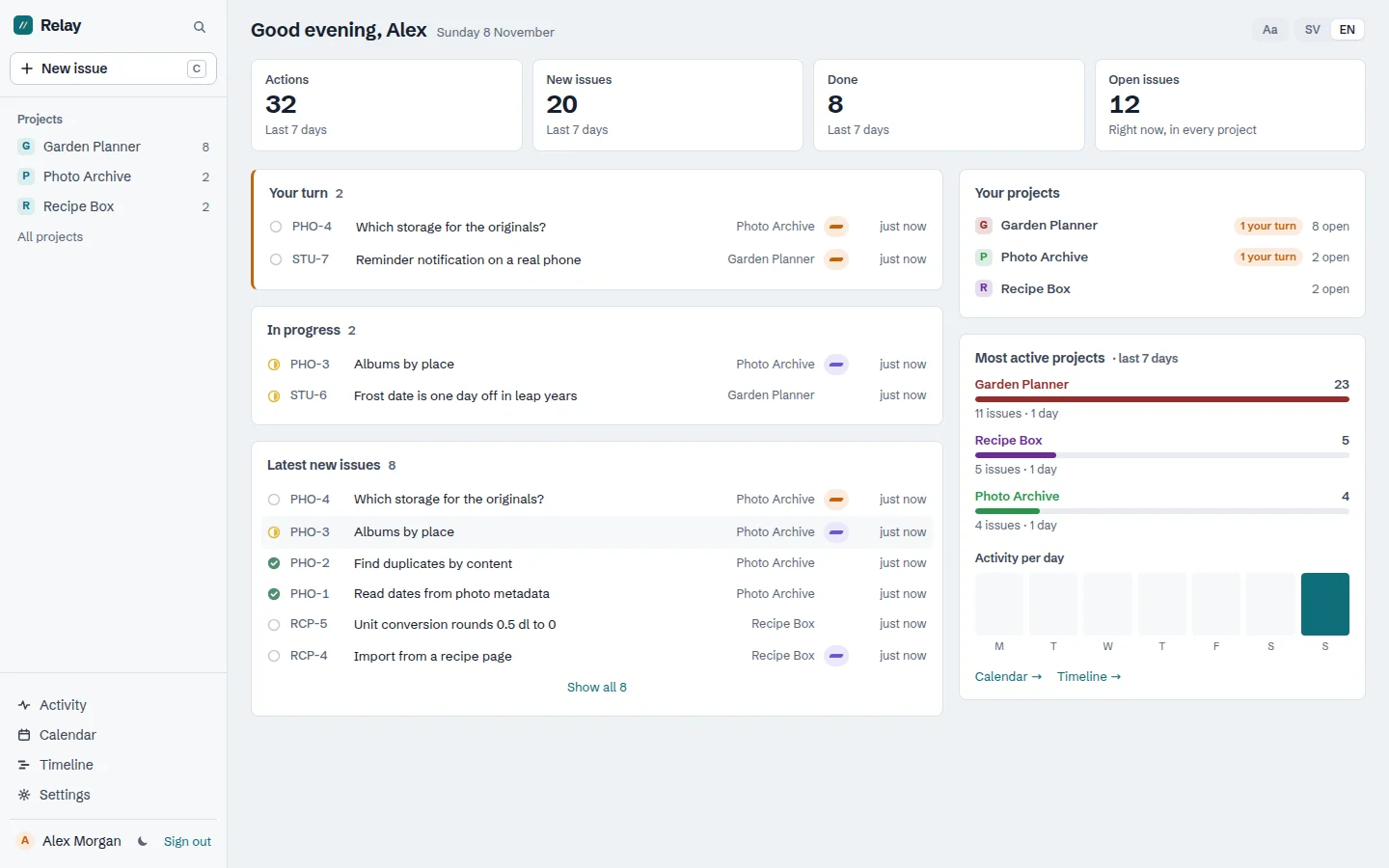
Comments have threads, reactions and quotes from the description. An issue can have checkboxes in its description, and a change is saved with one click. What Claude writes appears under Claude's name, on behalf of the person it works for.
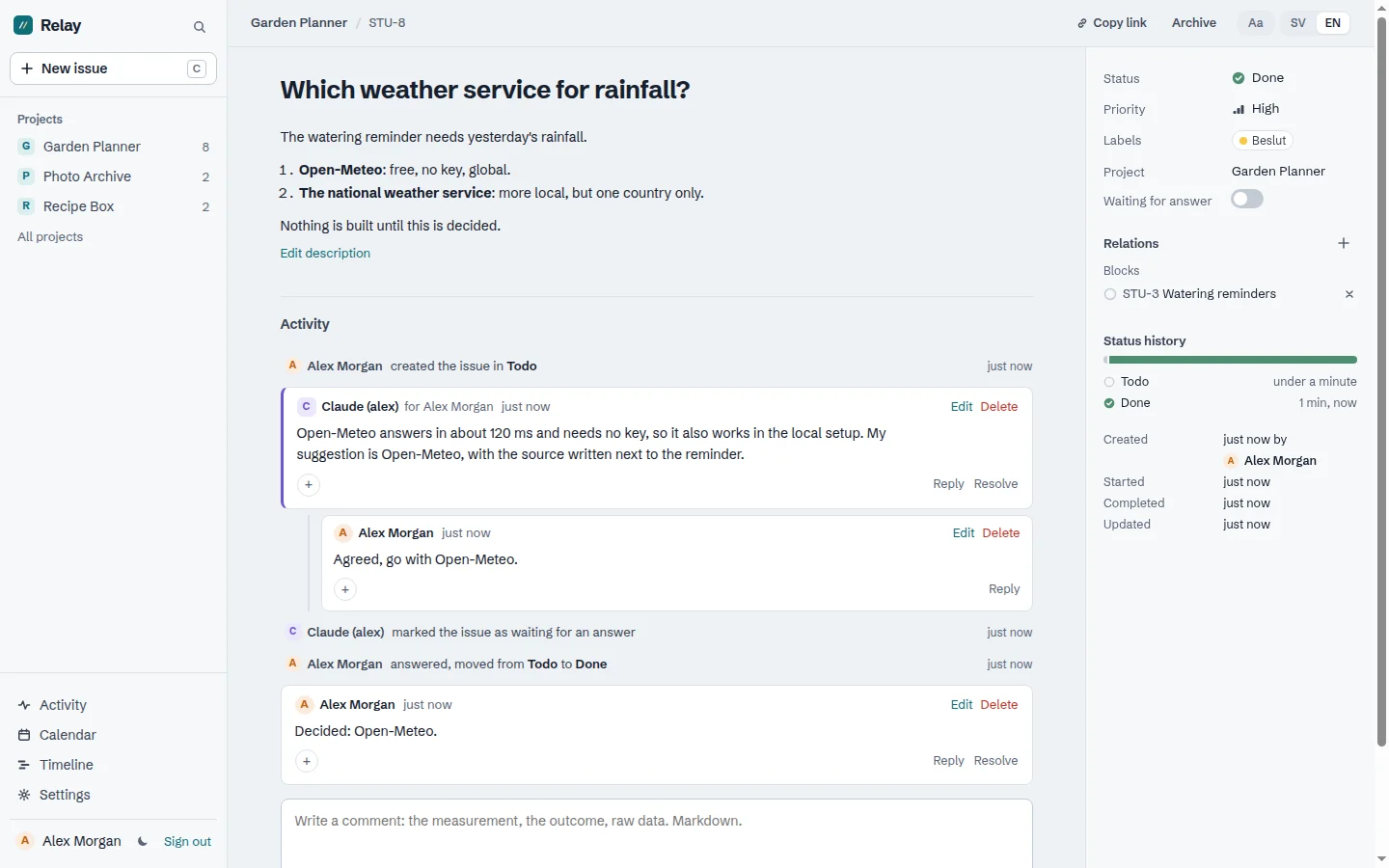
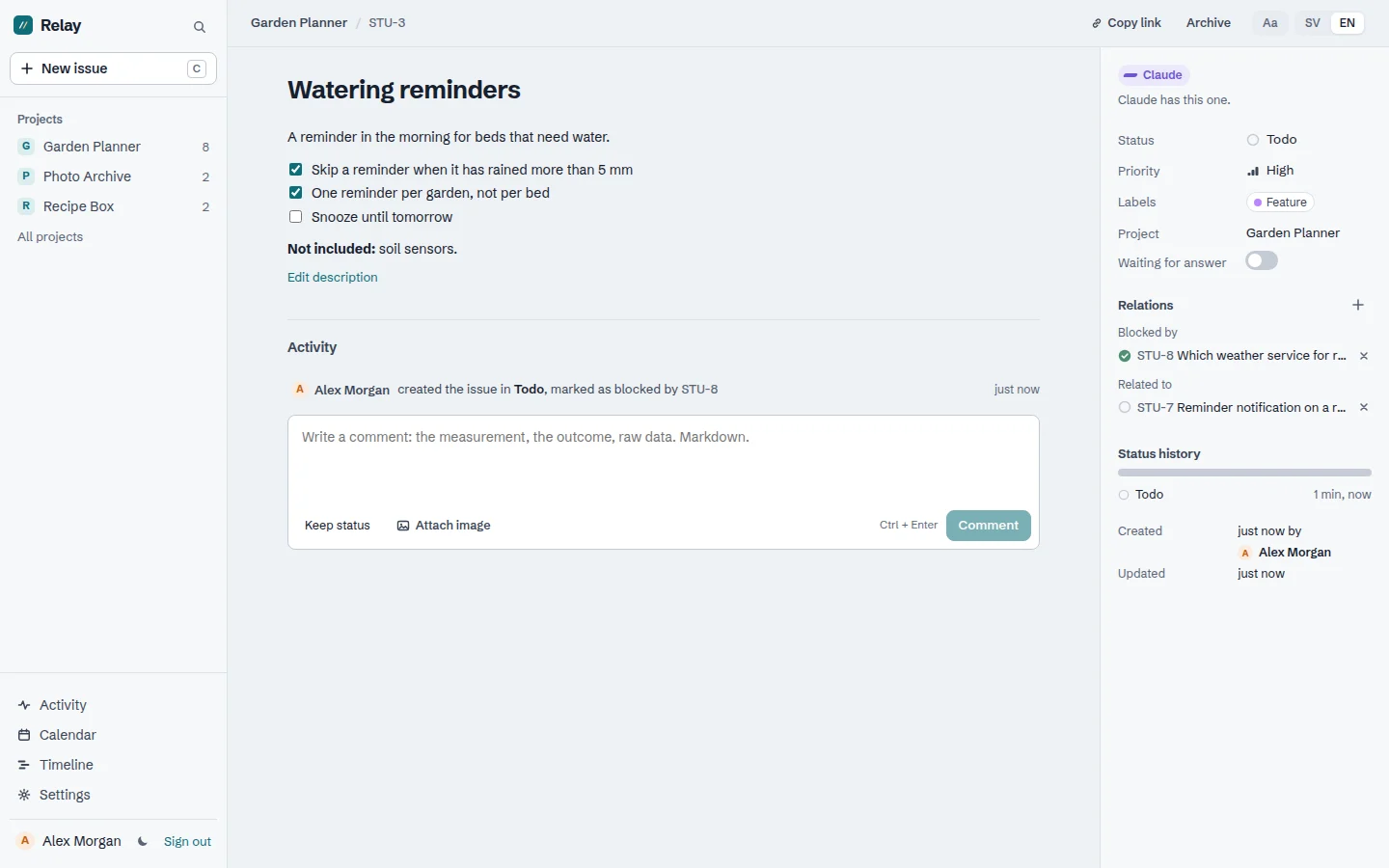
Statuses and labels are set per team, and for each label you choose whose it is: Claude's, the human's or nobody's.
A webhook calls an address when something happens on the board. A small receiver on the development machine takes the call behind a tunnel, checks the signature and starts Claude Code in the right repo. The repo is found through the line in CLAUDE.md that says what the Relay project is called.
The way of working is in RELAY.md, a file copied unchanged into every project: what lives in Relay and what lives in the repo, what the labels mean and that Claude reads the board at the start. Relay leaves projects that haven't opted in alone.
Calendar and timeline
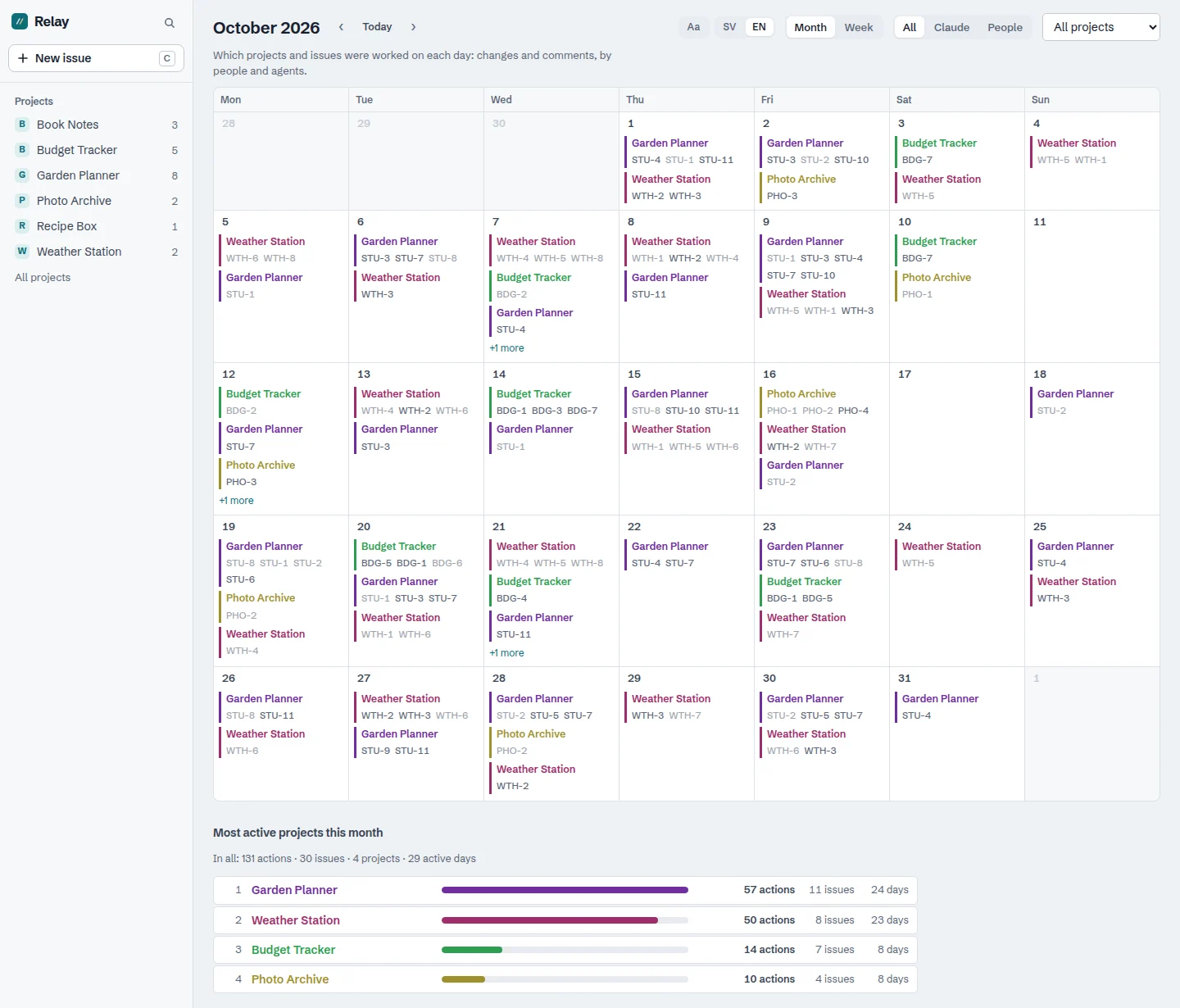
Two views show what was actually done, not what was planned. Both count the same thing: a change to an issue or a comment, by a person or an agent. No dates need to be filled in – everything is counted from the issues' history.
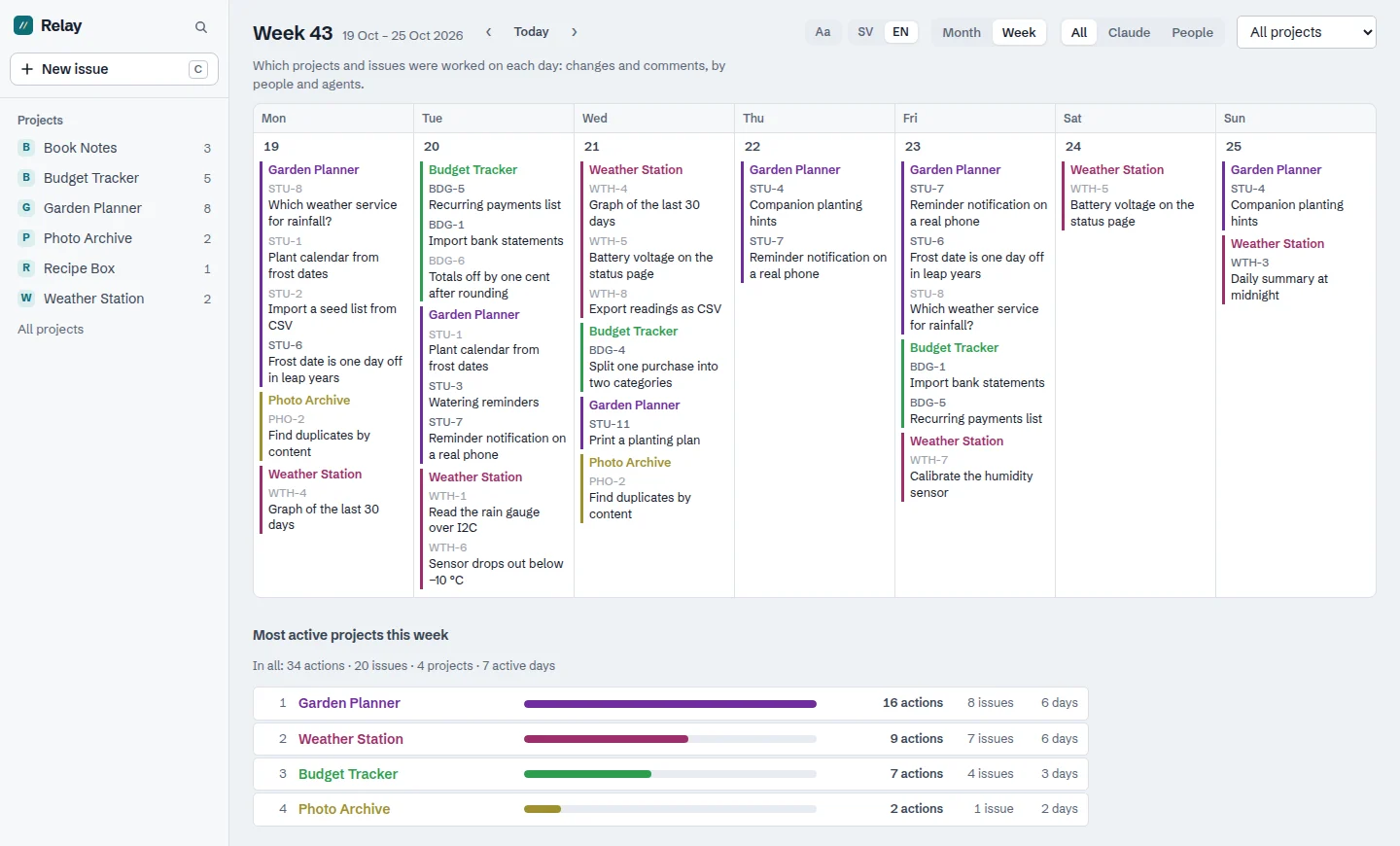
The calendar shows a month or a week. Each day lists the projects that were worked on and their issues, and below the calendar are the period's most active projects, with the number of changes, issues and active days. It can be filtered to only Claude, only people or a single project, and the days are counted in the browser's time zone.
A click on a date opens the week, which also shows the issues' titles:
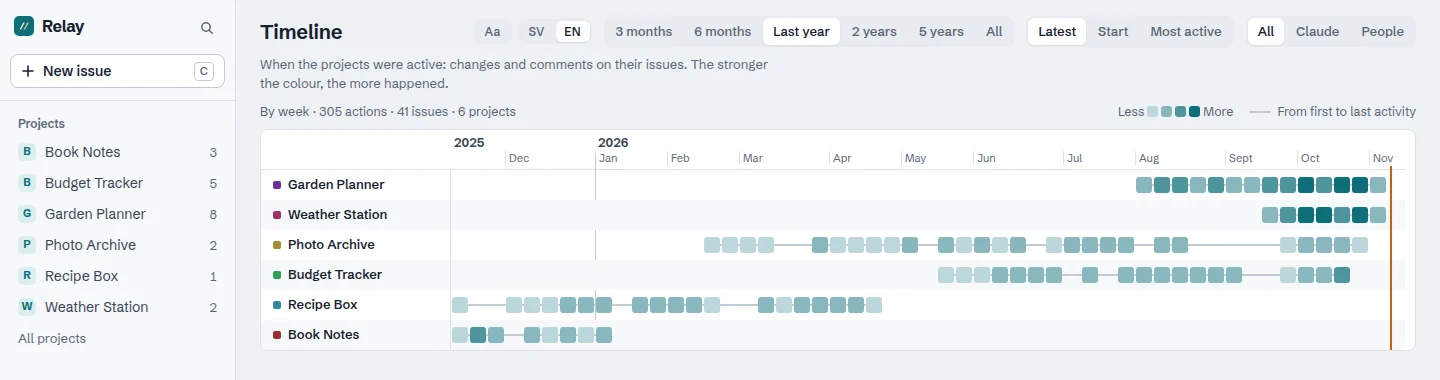
The timeline shows when each project was active: one row per project on a shared time axis, with a square per week or month. The stronger the colour, the more happened. The period can be anything from three months to the whole history, and a click on a square opens that period and that project in the calendar.
Relay also has people and agents with keys of their own, shared projects, invitations, favourite projects and a text size per user. The interface is in Swedish and English, in light and dark mode.
Relay is built with Claude Code: React, Vite and TypeScript in the browser, and PHP with no framework and MariaDB on the server. A test goes through the API and the MCP server against a throwaway database of its own. Relay is run from Relay: every feature since the move is an issue on the board.
Along the way
Two sessions took one issue each. A Claude session in the terminal and one woken by a webhook could each take an issue in the same project. Now it's checked in the same transaction as the move: if an agent is already working on an issue, the move is refused with project_busy and the issue in progress.
Claude woke itself up. A webhook that reacts to every change also wakes Claude when Claude changes something. So the default is to send only humans' changes.
A slow receiver held up the page. The webhook is sent after the person making the change has had their answer, but the session was still open, so the page's next request waited for the receiver. Now the session is released before anything is sent.
A lost connection took the text with it. When the internet dropped, the whole issue was replaced by an error message, and whatever you were writing was lost. Now the page stays, with a line saying the connection is gone, and what you write is saved as a draft in the browser.
Compared with Linear
Linear is what I used before. What Relay gives me:
- the issues on my own server
- the same tool names in MCP, so the switch needed no change in the way of working
- whose turn, labels with rules and
get_board, built for working with Claude - webhooks that wake a Claude session
- one issue at a time per project for agents
- a calendar and a timeline of what was actually done. Linear has no built-in calendar; it comes through add-ons such as LinCal. Linear's timeline is a planning view for projects, with dates and milestones, and doesn't show individual issues.
Relay isn't open for sign-up.
More pictures:
Try it yourself
Under Files you'll find IDEA.md: a description of the tool and everything I learned during the build, written as a brief. Give it in full to Claude Code and you have the groundwork for an issue tracker of your own for you and Claude.