 ClipperCollect text and images from the web and lay them out freely on a grid
Why a tool of my own?
Fabric was the model, but I wanted a tool of my own for three things: collecting research before buying – products with prices and specifications in one place – laying out moodboards freely with images and text, and studying with flip cards.
Clipper
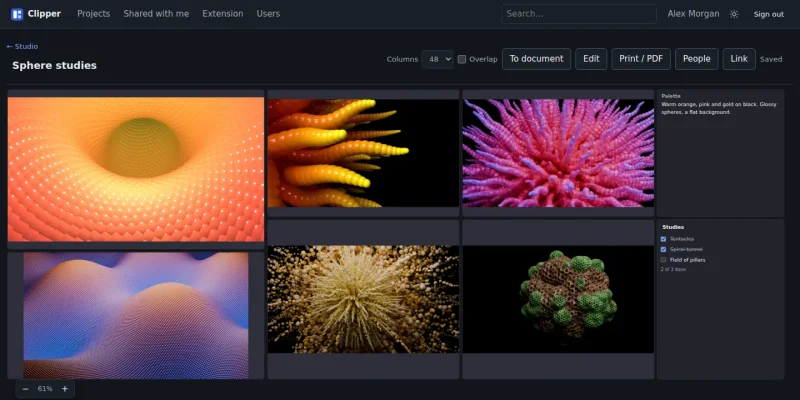
Clipper collects text and images from the web and puts them together into documents. The documents live in projects, and every document is a grid: you drag across empty cells to mark an area, and the block lands exactly there. Then you can move it and resize it. A document has 1–12 columns and a reading width. A board has 24, 48 or 96 square cells, takes the full width of the window and can be zoomed – for what you don't write but lay out. A document can be turned into a board and back.
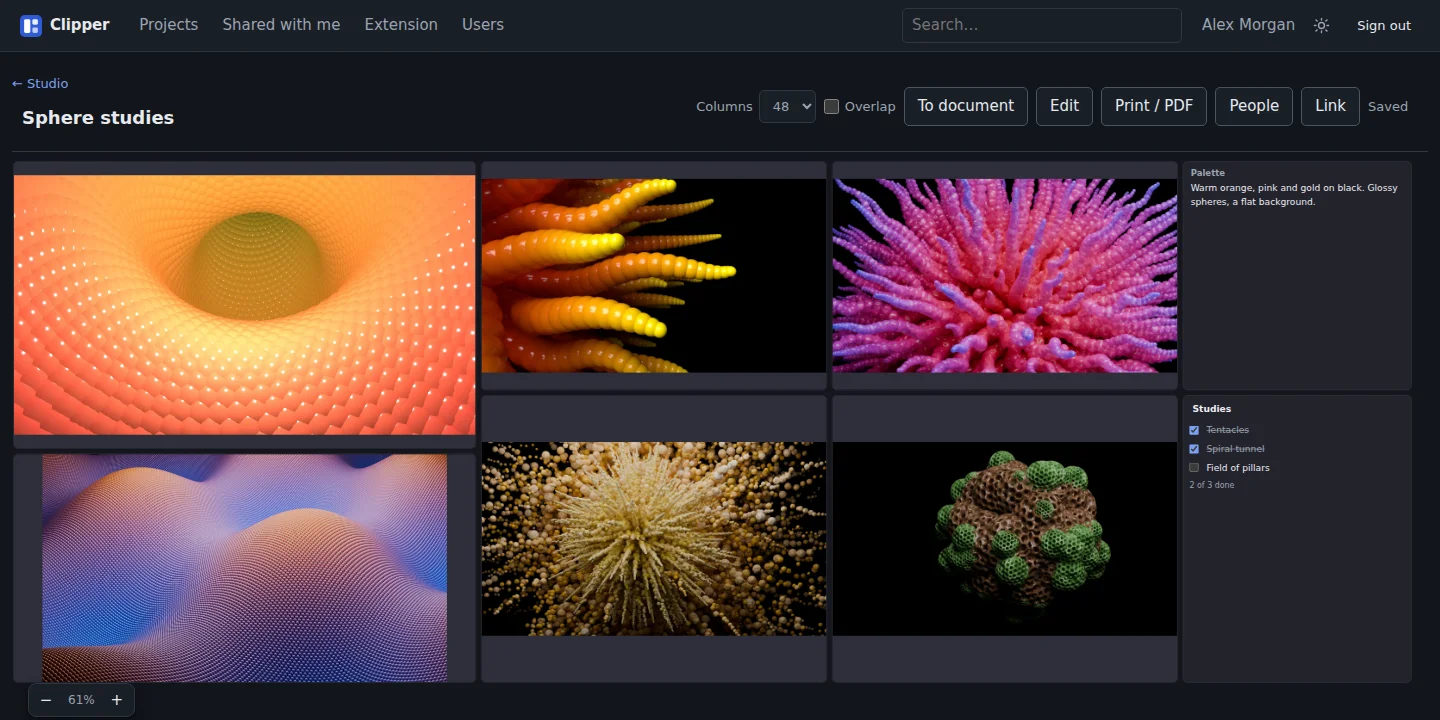
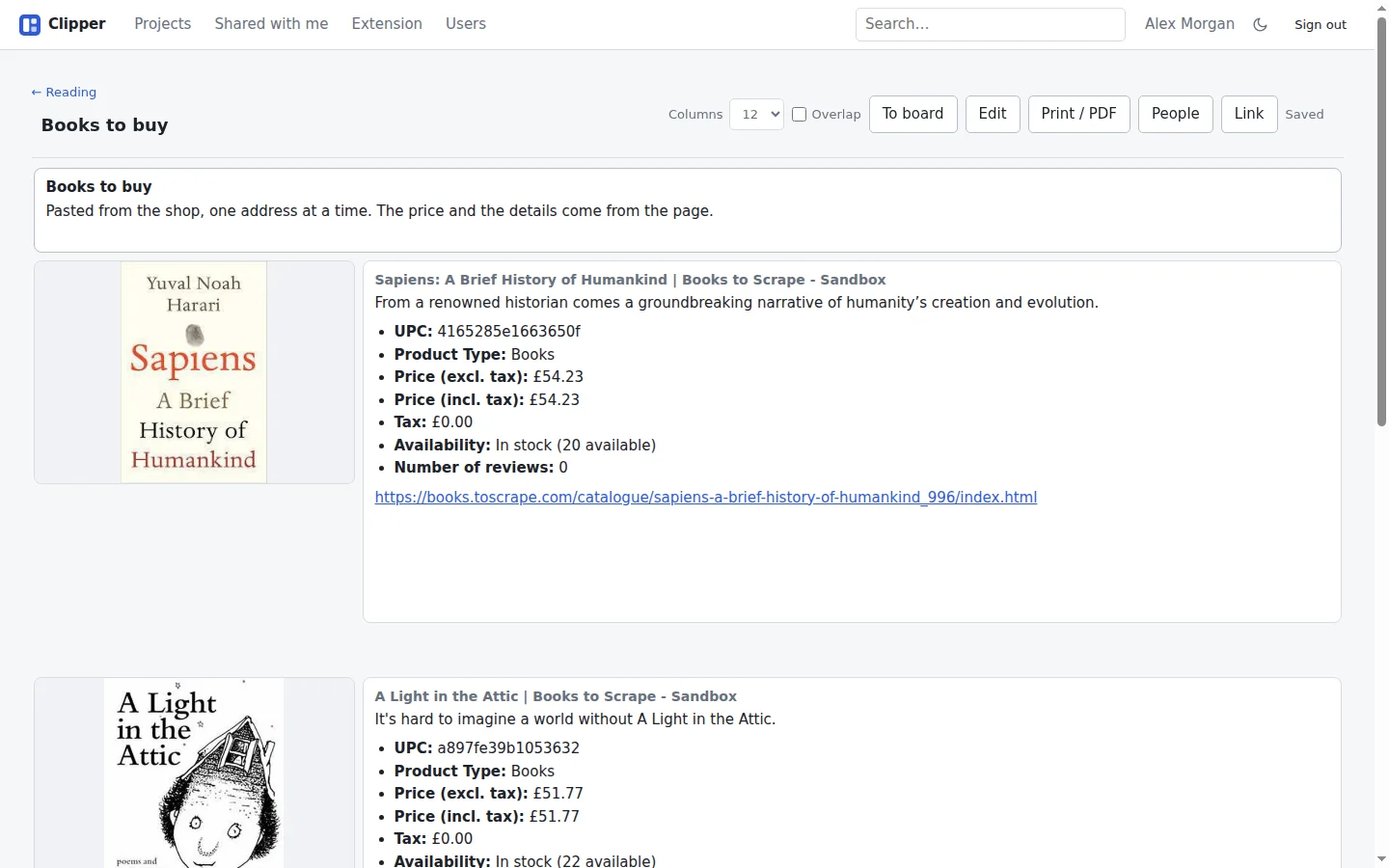
Paste an address and Clipper reads the page and makes an image block and a text block with the title, description, price and specifications. The page is read in the order schema.org, Open Graph and finally the markup itself, and the real picture is chosen by score, so that logos, icons and ad banners are sorted out. A price is only taken where the page states it as a price, never from running text.
A Chrome extension does the same right in the page. Alt+C opens a panel already filled in from the page, where you can correct a field or point at the right part of the page, and choose an image – with each image's real size written out, and a picture of the visible page as an alternative. A right-click on selected text or an image saves just that, with the address it came from.
Seven kinds of block:
- text in Markdown, with highlighted code blocks
- image, with both the image's and the page's address saved
- checklist, which can be ticked off without entering edit mode
- PDF and audio, with one shared player for the whole tool
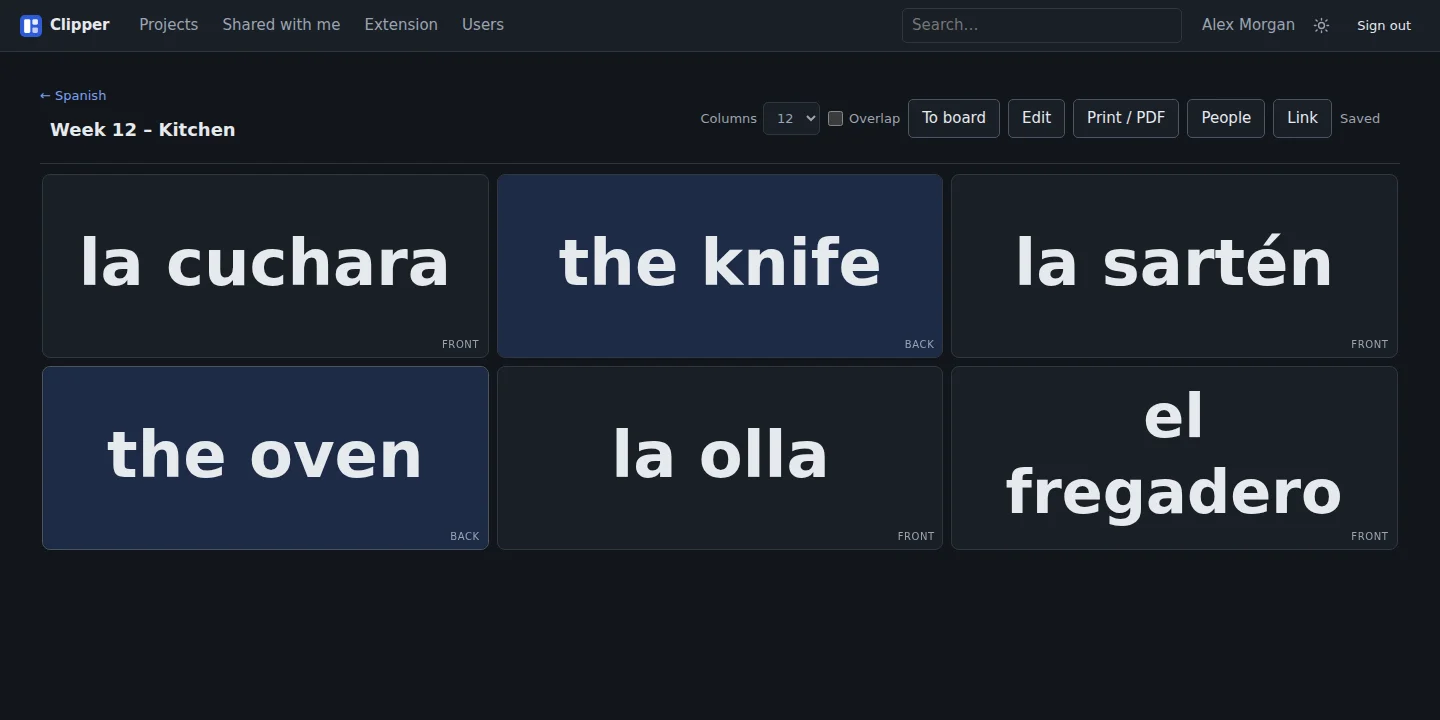
- flip card: two texts where the second shows when you click, for vocabulary and study questions. The text is set as large as it can be without overflowing
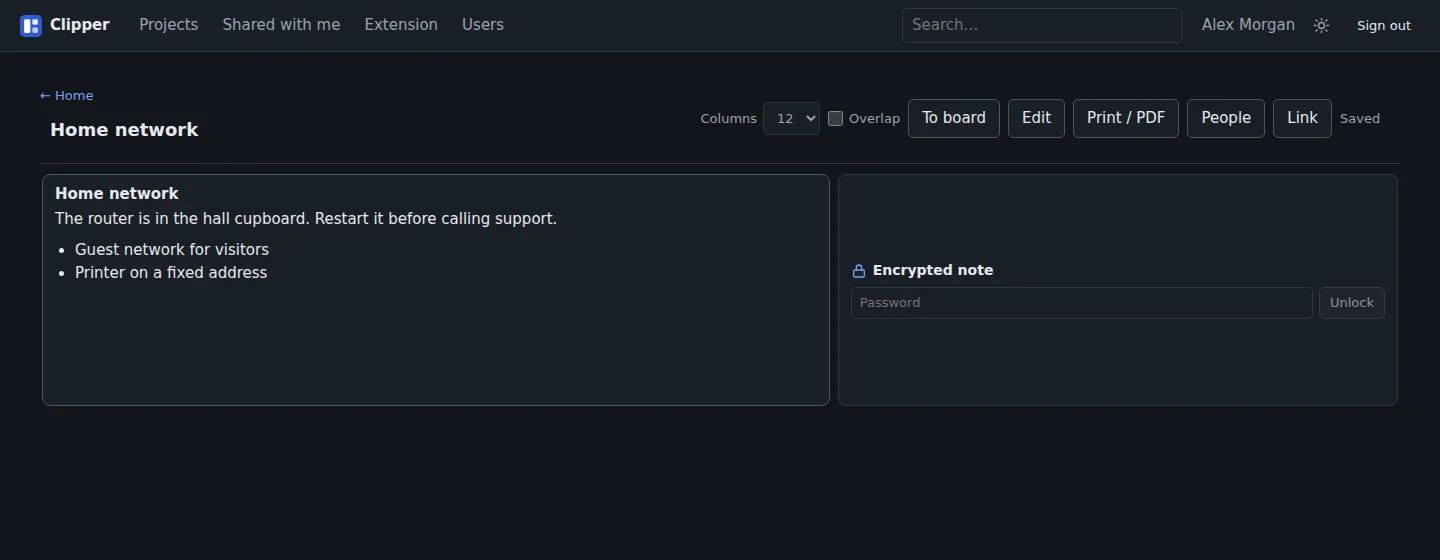
- locked blocks, encrypted in the browser before they're sent
A locked block is encrypted with AES-GCM and a key derived from the password in the browser. The password never leaves the computer, so the content can't be read in the database or in a backup – and can't be recovered if the password is forgotten.
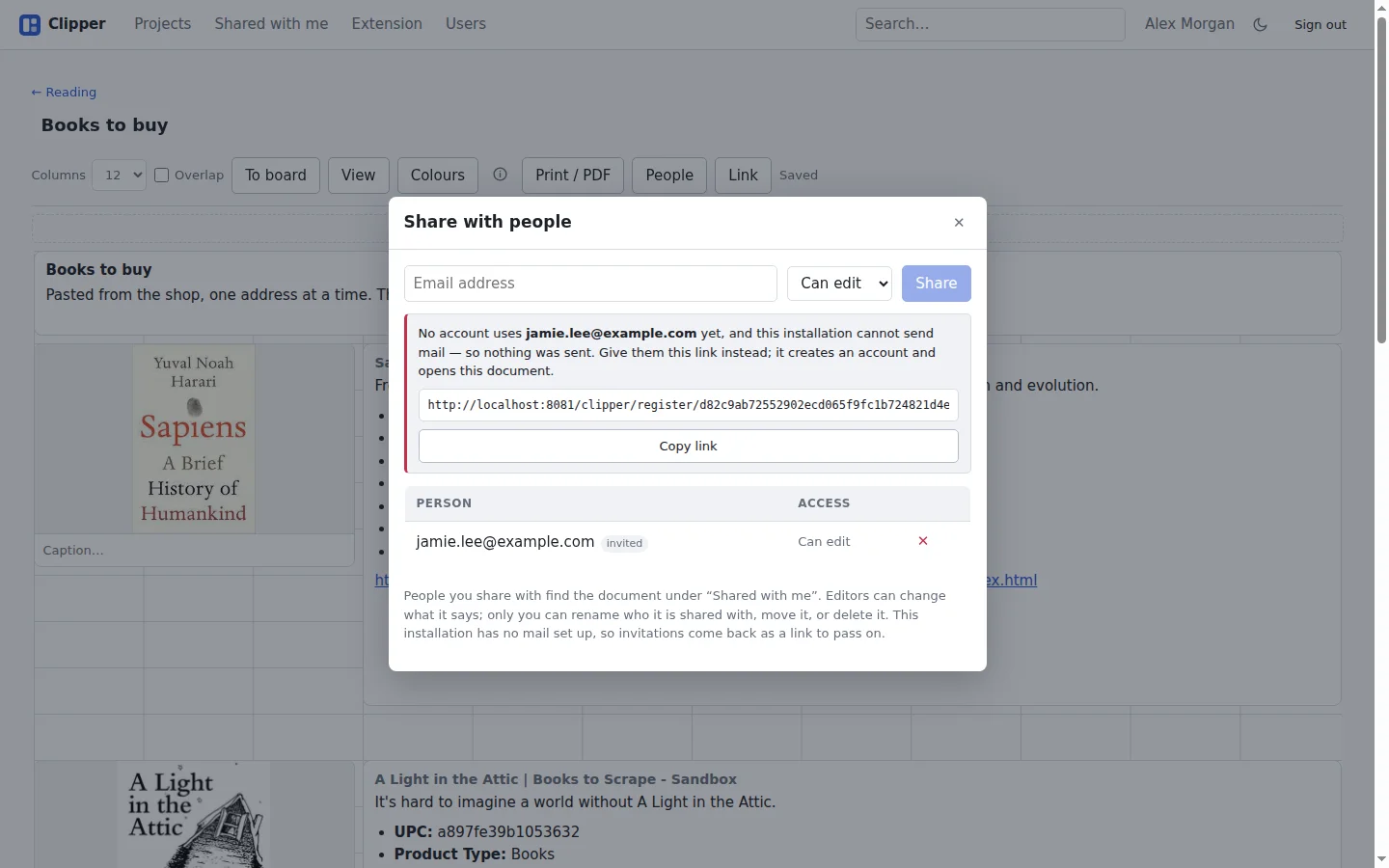
Blocks can be grouped, selected several at a time, copied and pasted with Ctrl+C and Ctrl+V, and a move or resize can be undone. Each document has its own colours and can allow blocks to overlap. A document can be shared with named people by email address – to view or to edit – or with a public link. If the address has no account, it becomes an invitation that creates the account and opens the document. Finished documents can be archived, and everything can be searched, printed and exported. Clipper follows dark or light mode and can be added to the home screen on an iPad as an app of its own.
Clipper is built with Claude Code: React, Vite and TypeScript in the browser, and PHP with no framework and MariaDB on the server. All logic that can be tested without a browser – placement on the grid, undo, groups, copying – lives in modules of its own that are tested directly with Node. What concerns layout is instead measured in a real headless browser, with the real stylesheet. A smoke test goes through everything from login and sharing to encryption and that a user only sees their own data.
The work was run from an issue board, as in my other projects.
Along the way
The build that looked like it worked. The build ran in a container that only saw the web app's directory, but the output was meant to land one level up. The type check passed and Vite printed the file names – and nothing arrived, because the files were written inside the container and vanished when it exited. Now the build script mounts the whole project.
A long text block stretched its neighbours. At first the rows were allowed to grow with the text, so a text block pushed everything below it down. But it was the row that grew, not the block, so every block beside it was stretched too. Now the rows have a fixed height, and a text block measures how much it clips and grows its own area.
An ad banner instead of the product. A product page on Amazon gave an ad banner, because no image had stated dimensions and they all got the same score. Now the dimensions are read from the image address, where most image CDNs write them, and alt text that names what the page is about weighs heavily.
Reloading the page signed you out. "Remember me" swaps its secret on every use, and an old secret counts as a theft that signs out every device. But a page load sends several requests at once with the same cookie: one won and swapped, and the others arrived with a secret that had gone stale a few milliseconds earlier. Now the previous secret stays valid for a minute after the swap.
One password per address. Chrome saves one password per address and username, so several tools on the same domain with the same username shared a single saved password. Now you can sign in as clipper/name – everything before the last slash is stripped before the account is looked up, so the entry is unique to the password manager.
Compared with Fabric and Are.na
Fabric was the model, and Are.na is the other tool I compare with. What Clipper gives me:
- free placement on a grid, with documents and boards
- pasted addresses that become an image, a price and specifications
- flip cards and checklists among the clippings
- locked blocks that can only be read with the password
- the data on my own server
Clipper isn't open to others – there's no self-registration.
Try it yourself
Under Files you'll find IDEA.md: a description of the tool and everything I learned during the build, written as a brief. Give it in full to Claude Code and you have the groundwork for a tool of your own for collecting and laying out material.