 ImagerFast image viewer with RAW, HEIC and PSD via plugins
Why my own image viewer?
IrfanView is a very good image viewer for Windows. But macOS has lacked a good equivalent. I wanted an image viewer that works the same on both, so I built my own.
Two numbers drove everything: the time from double-click to a visible image, and the time from the right arrow to the next image. Everything else in the design comes second to those two.
Imager
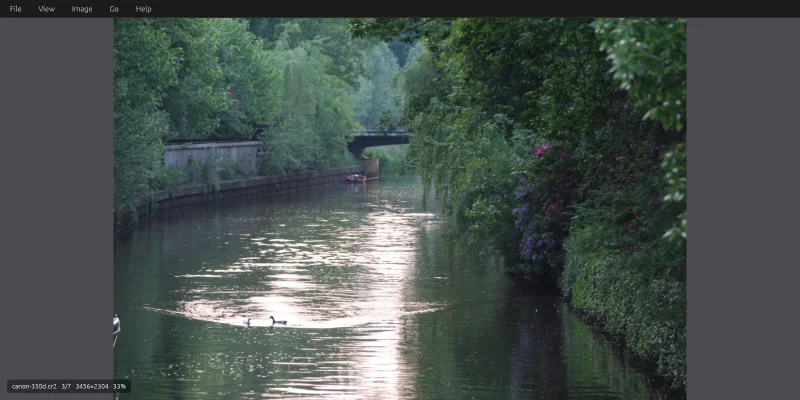
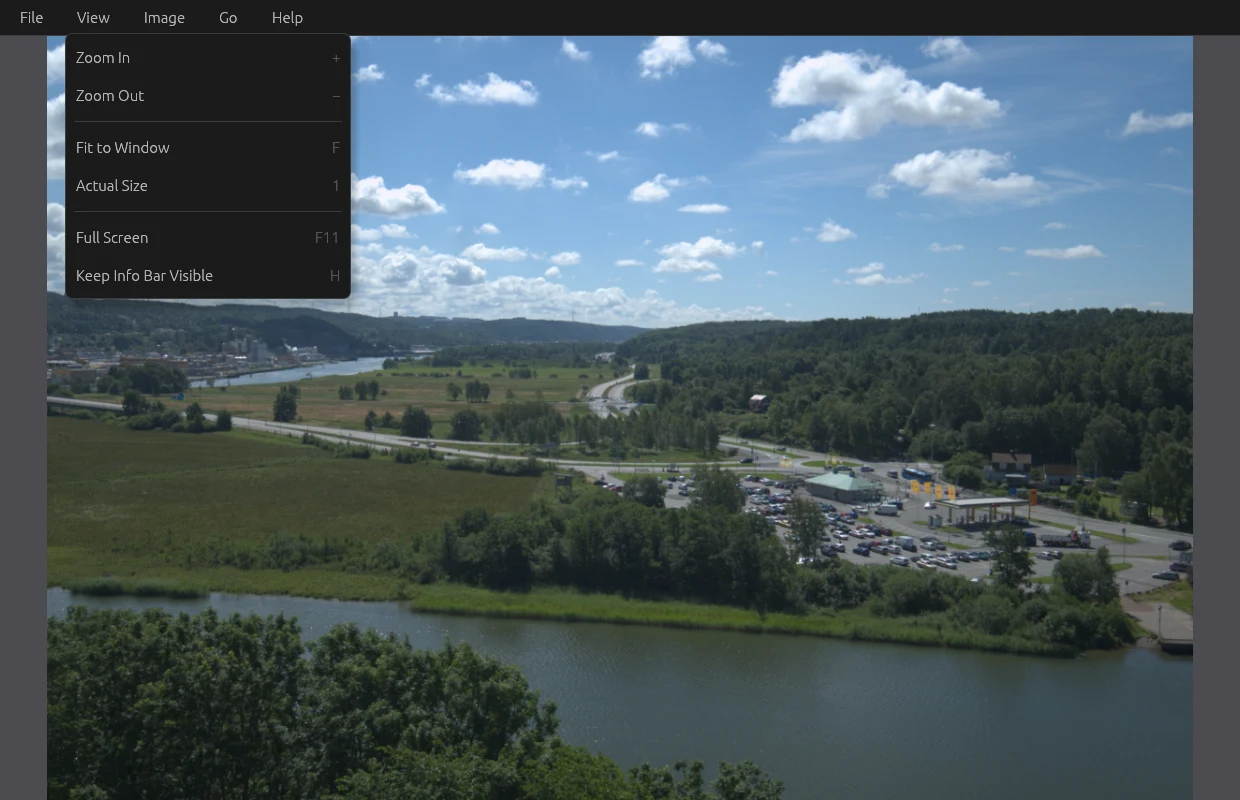
Imager shows the image and almost nothing else. A menu bar at the top and an info bar at the bottom that fades out – file name, position in the folder, size and zoom. The arrow keys and the mouse wheel browse through the folder, Ctrl+wheel zooms where the pointer is, and the image can be rotated, copied, saved in another format or moved to the recycle bin.
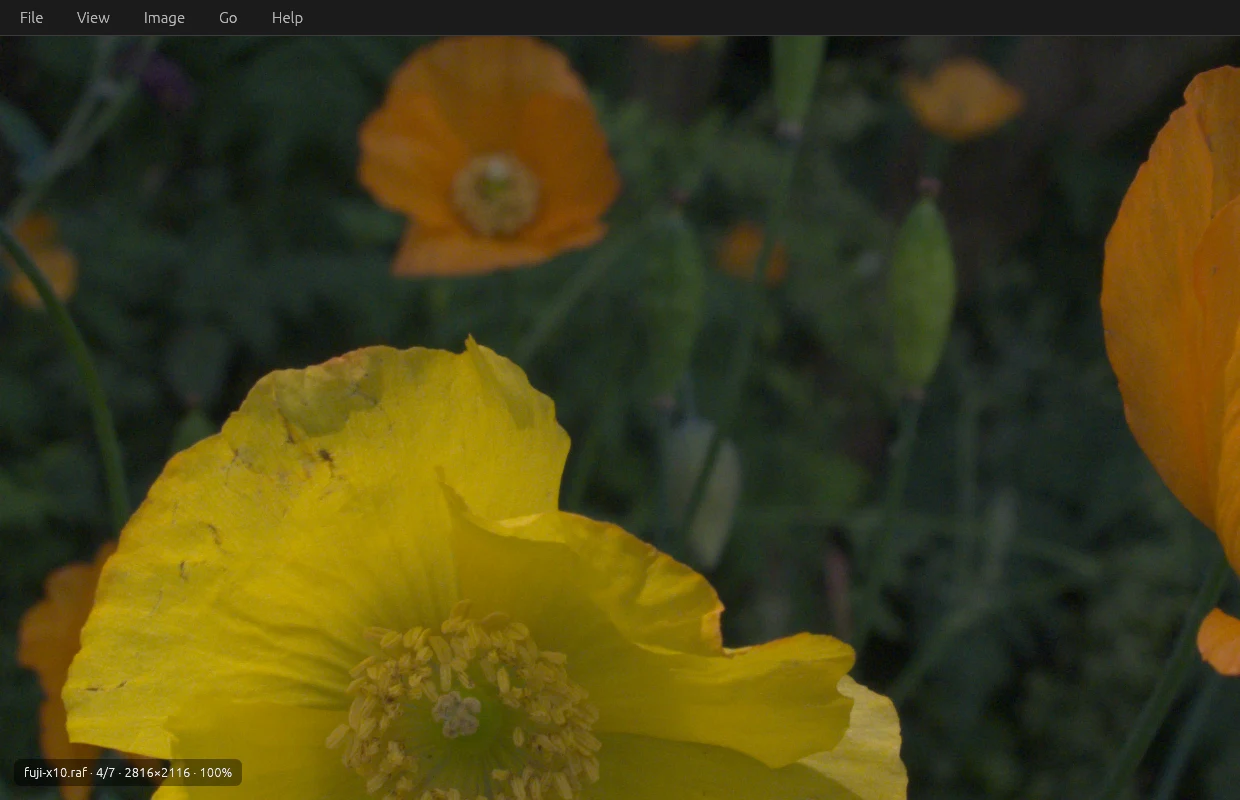
Built in are JPEG, PNG, WebP and GIF – animated ones too – TIFF and BMP. The rest come as plugins that load only when such a file is opened: PSD, HEIC, camera raw from Canon and Fujifilm, EPS, SVG and ICO. A plugin is an ordinary library with five C functions, so support for a new file type can be added without touching the rest of the program. Every plugin is written in pure Rust, without C libraries like libheif or Ghostscript.
The speed comes from a few decisions:
- The image is decoded while the window is being created. The graphics card takes around 300 ms to start; the image is decoded after 12 ms and is already waiting when the window is ready.
- An Imager that's already open takes over. Double-click the next image and its path is sent to the window that's already there, in 0.2 ms, instead of a new program starting.
- The neighbouring images are already in memory. When an image is shown, the two before and the two after are decoded in advance, so the next image only costs the upload to the graphics card.
- Zoom, panning and rotation never touch the pixels. The image lives on the graphics card, and the view is 48 bytes that change. Zooming into a 24-megapixel image costs the same as zooming into an icon.
- Huge images are split into tiles, so even panoramas larger than the graphics card's largest texture are shown at full resolution.
The program is built with Claude Code, in Rust with winit, wgpu and egui, for Windows and macOS. The latest version of the icon was made with Codex. The icon's construction – the plate, the card, the hairline frame and the single warm accent – later became a design system that my other apps follow.
The images in this post are free sample files from raw.pixls.us (CC0).
Along the way
The window never appeared on Windows. The window is created hidden and shown only when there's an image to see. The first version waited for a drawn frame before showing the window. On Linux that worked – but on Windows a hidden window gets no request to be drawn, so the app sat waiting with the image ready in memory and never showed a window at all. Drawing straight away worked on Windows but broke Linux, where handing a frame to a window that isn't shown is a protocol error. What works on both: decide to show the window, show it, and only then draw.
The raw file showed a thumbnail. Canon's CR2 files are built on TIFF, so the built-in TIFF reader took them and showed the embedded 128 × 96 preview instead of the photo. Now the TIFF reader declines files that look like camera raw, and they go to the plugin.
Downscaled images looked paler. Images below 100 % lost contrast compared with other viewers. The cause was the colour space: the graphics card filtered in linear light, which is physically correct but not what other image viewers do. The first test for the bug passed even with the bug still there, because it used black and white – and they look the same in both colour spaces. The test now uses grey.
Browsing got stuck. Browse faster than the images could be decoded, and Imager could get stuck on "Loading", because the image was already in the queue as a prefetch that told no one when it was done. Now such a job is upgraded when someone is waiting for it.
Compressed raw files decided the choice of library. Fujifilm's compressed X-Trans files aren't handled by the raw library rawloader, so the plugin is built on rawler instead.
Smaller when SVG and ICO moved out. SVG support dragged in a whole font database and text engine. When SVG and ICO became plugins instead of built-ins, the executable became 1.8 MB, 12 %, smaller – for anyone who only looks at photos.
Compared with IrfanView
IrfanView is the model for how an image viewer should feel, and it can do much more than Imager – for example simple editing and converting many files at once. But it only exists for Windows.
What Imager gives me:
- the same program on Windows and macOS
- speed first: the first image shows after around 370 ms, of which the graphics card's startup is 95 %, and the next image is usually already in memory
- support for a new file type as a plugin, without touching the rest
The target of 120 ms to the first image isn't reached; that needs the graphics card to start in parallel with the window, and that's the next thing to try.
Try it yourself
Under Files you'll find IDEA.md: a complete description of the program and everything I learned during the build, written as a brief. Give it in full to Claude Code and you have the groundwork for an image viewer of your own – the architecture, the speed tricks, the plugin interface, the pitfalls above written as rules, and a ready-made prompt to start from.