 Color PaintWorks out how to mix colors to hit a target
Why my own mixing program?
I tint epoxy and polyurethane when I cast small plastic parts and figures. Usually it's enough for the color to be roughly right. But sometimes a part has to match something that already exists, as closely as possible, and then it's hard to guess your way to the right proportions from the colors you have at home.
Trycolors did this well: enter the target color and it works out the mix. But it requires a subscription and limits how many mixes you can do per day. I didn't want to pay for it all the time, or count my mixes. So I built my own program that does the same thing.
Color Paint
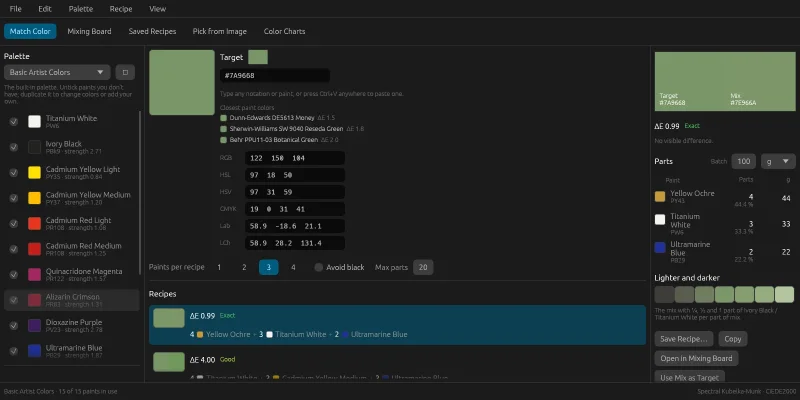
Color Paint works out how colors should be mixed to hit a target. The target can be entered as hex, RGB, HSL, HSV, CMYK, Lab or LCh, with a color picker, with an eyedropper on a photo, or as a code from a color chart such as RAL 3020. The program then searches the colors in the palette for the mixes that come closest, and lists them with proportions to measure out. The image at the top shows an example: sage green #7A9668 becomes 4 parts Yellow Ochre, 3 Titanium White and 2 Ultramarine Blue.
Each recipe has a distance to the target, ΔE (CIEDE2000), and a verdict: below 1 there's no visible difference, below 2 it only shows side by side. The parts are converted into grams, millilitres or drops for a batch of the chosen size. On top of that there's:
- a mixing board for mixing by hand with + and −, showing the result and the distance to the target immediately
- your own palettes with the colors you actually have, with a tinting strength per color
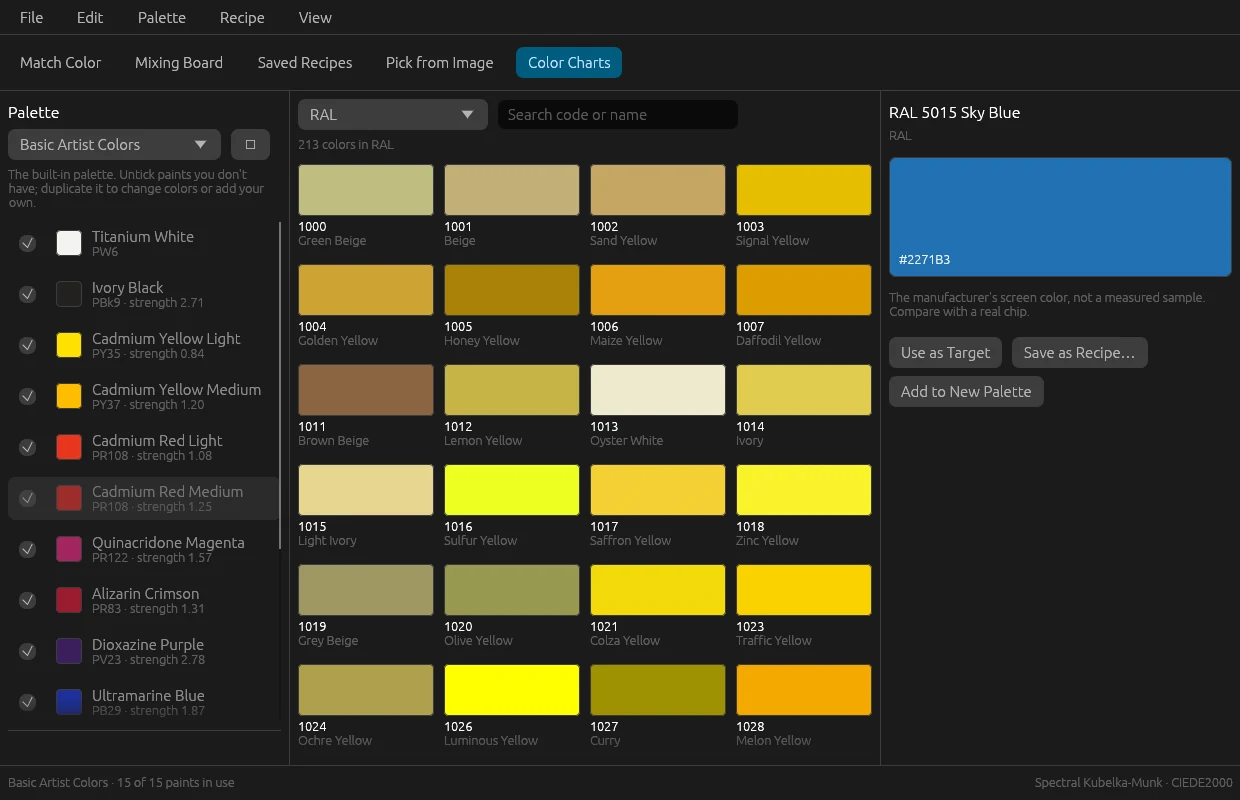
- color charts with almost 23,000 colors from RAL and fifteen paint manufacturers, built into the program
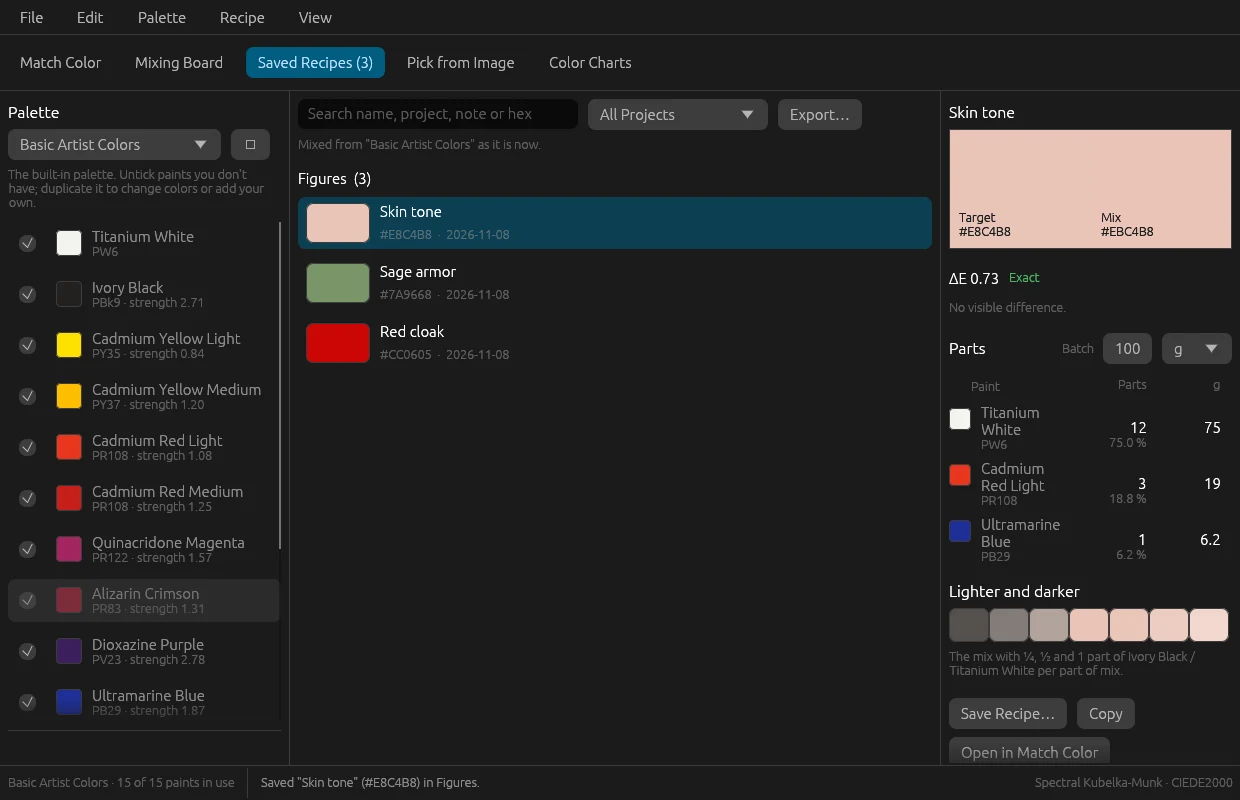
- saved recipes grouped by project, with export to CSV and JSON
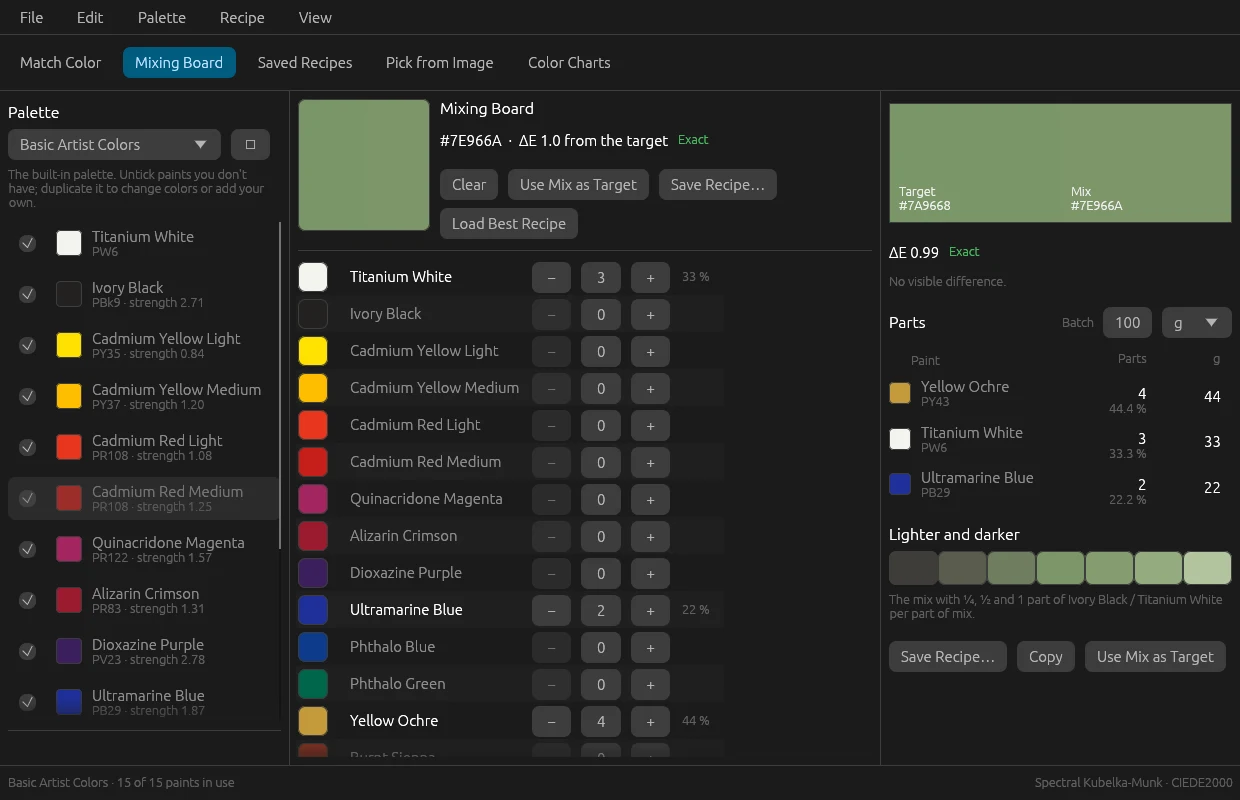
The hard part is predicting what two colors become together. Averaging two RGB values mixes light, not paint: yellow and blue become grey on screen but green in the pot. Color Paint instead uses spectral Kubelka-Munk, the same model as the open library spectral.js. Each color is converted into a reflectance spectrum across 38 wavelength bands, and it's the absorption in each band that gets mixed.
The solver tries every combination of one, two and three colors from the palette, and four colors as extensions of the 30 best three-color combinations. For each combination it finds the best proportions and rounds them to whole parts. The smallest total within half a ΔE of the best wins, so 3 : 1 is chosen over 14 : 5. Each color beyond the first costs 0.35 ΔE in the ranking, so a more complicated recipe has to be noticeably better to come first.
The program is built with Claude Code, in Rust with a custom-drawn interface in egui, for Windows and macOS. The icon was made with Codex. The calculations live in a separate library with no interface and are tested without a window. A search with fifteen colors and at most three per recipe takes 13–19 ms (the requirement was under half a second), with four colors 34 ms. The Windows installer is 6.3 MB.
The work was run from an issue board, as in my other projects: I posted requests, and Claude Code built, tested and took screenshots from the real Windows binary before an issue was closed.
Along the way
RGB wasn't enough. The first question was which mixing model to use. Mixbox was judged to give better results than spectral.js, but its license forbids commercial use, so it became spectral.js (MIT).
The same color isn't equally strong. Phthalo blue and ultramarine can look alike in a thin layer, but phthalo blue completely takes over a mix with white. So every color has a tinting strength. For the default palette it was chosen so that one part color and one part white lands on an estimated typical lightness. These are estimates, not measurements, and the first thing to adjust if recipes miss.
New Palette closed the program. The recipes on screen pointed at colors in the previous palette, and the new, empty palette had none. The Windows version has no console window, so the error didn't show – the window just disappeared. Now recipes are always shown together with the palette they were solved in.
A premise that didn't hold. When the color charts were built in, the idea at first was that their colors could only be targets, since they have no spectrum. But neither do the default palette's colors: the model derives the spectrum from the color for every color. A chart color simply became an ordinary color to mix with, with tinting strength 1.
The color charts needed cleaning. The data from colornerd had hex in several formats – rgb(…), a space before # – and duplicate codes for four manufacturers. An import script fixes that and rebuilds the list, which is then compiled into the program.
A recipe is a color, not parts. At first, recipes were saved with their parts. But the palette changes: colors run out and new ones arrive. Now only the target color is saved, and the recipe is solved against the palette as it is when it's opened.
Compared with Trycolors
Trycolors is what I used before, and it worked well. What Color Paint does better for me:
- no subscription and no cap on how many mixes I do per day
- it works offline, and the color charts are built in
- the palettes are my own colors, and recipes are saved per project
What counts against Color Paint: its predictions haven't yet been tested against real paint. The tinting strengths are estimated, and the color charts' values are the manufacturers' screen colors, not measured samples. It has no eyedropper for the screen itself.
Try it yourself
Under Files you'll find IDEA.md: a complete description of the program and everything I learned during the build, written as a brief. Give it in full to Claude Code and you have the groundwork for a mixing program of your own – the model, the solver, the decisions that turned out to matter, the pitfalls above written as rules, the measured numbers to build against, and a ready-made prompt to start from.