 SEO SpiderFast crawler for technical SEO analysis
Why my own SEO crawler?
Screaming Frog SEO Spider is the model, and I'd have kept using it if it didn't have a bad subscription model. You don't even get to keep an earlier version when the subscription ends.
SEO Spider
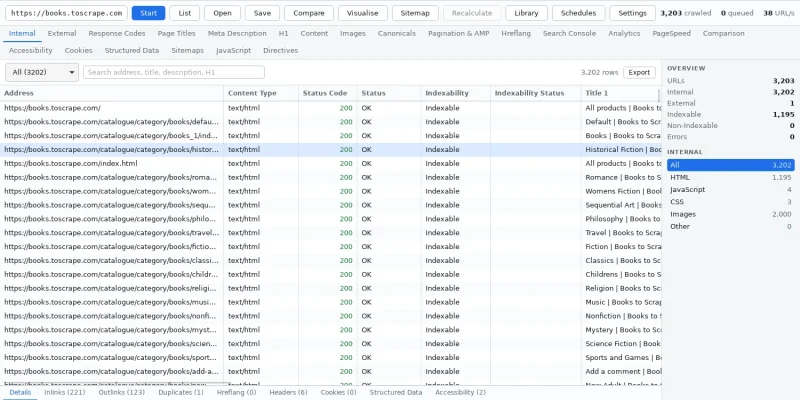
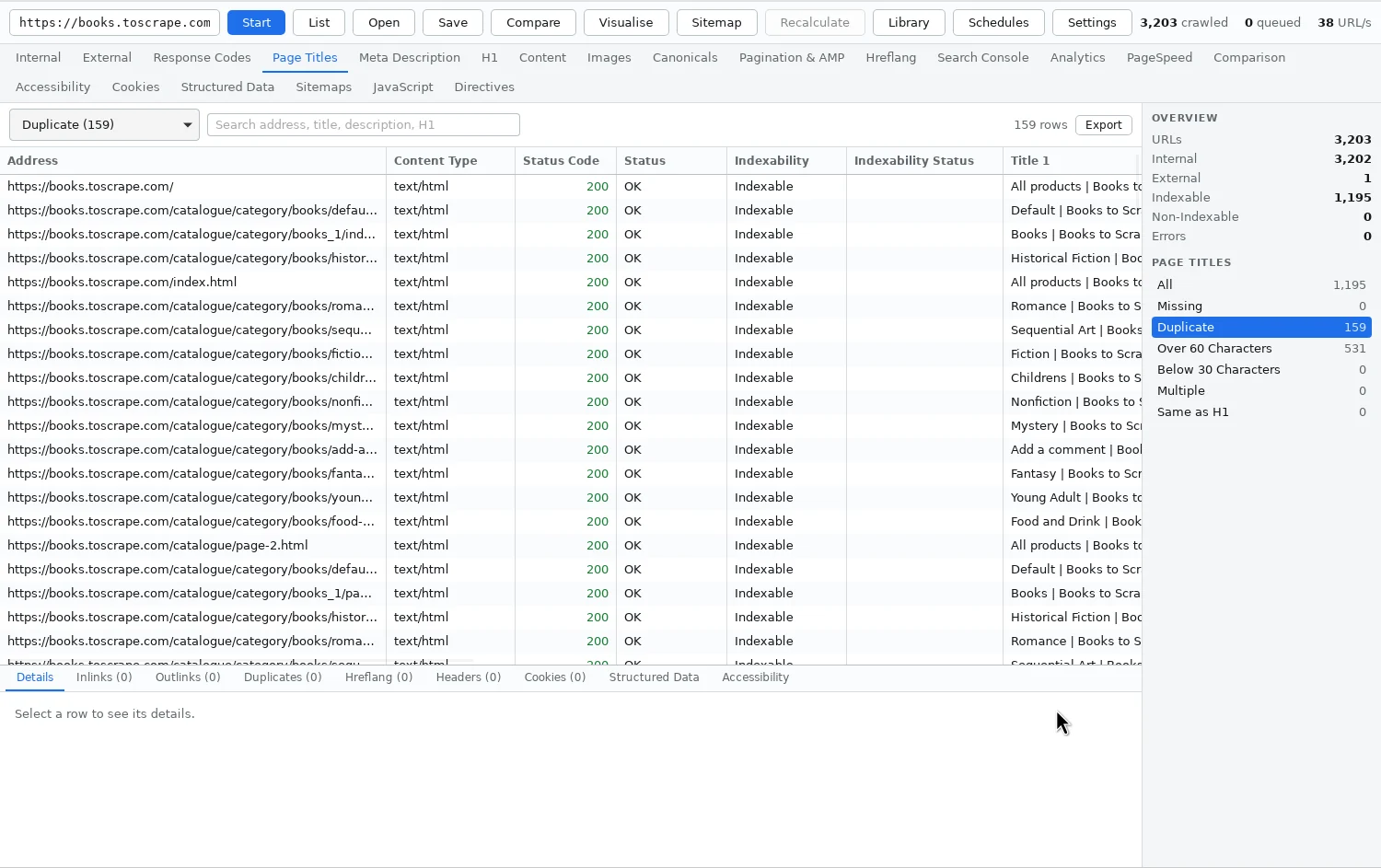
SEO Spider goes through a site page by page, like a search engine, and shows everything that matters for technical SEO: status codes, redirects, page titles, meta descriptions, headings, canonicals, indexability, images, links and much more. The result is shown in a table with tabs and filters, and every page has a detail panel with inlinks, outlinks, duplicates, headers and cookies. The names of the tabs and filters follow Screaming Frog, so the tools can be compared.
What the app does:
- twenty tabs and 129 filters: Response Codes, Page Titles, Canonicals, Hreflang, Structured Data, Sitemaps, Accessibility and more – for example titles that are missing, duplicated or too long
- JavaScript rendering in a headless Chrome, with a comparison between the raw and the rendered page
- link graph and link score across the internal pages, and XML sitemaps that are read, compared with the crawl and can be generated
- custom extraction and search: pull out fields with CSS selectors or regular expressions, or find every page whose source contains a certain text
- near duplicates, accessibility (seventeen static rules or axe-core in the rendered page), cookies, hreflang, pagination and AMP
- list mode for checking exactly a list of addresses, for example after a migration
- a crawl library, comparison between two crawls and scheduling, and a crawl that can be paused and resumed even after a restart
- a CLI that runs the same engine without a window
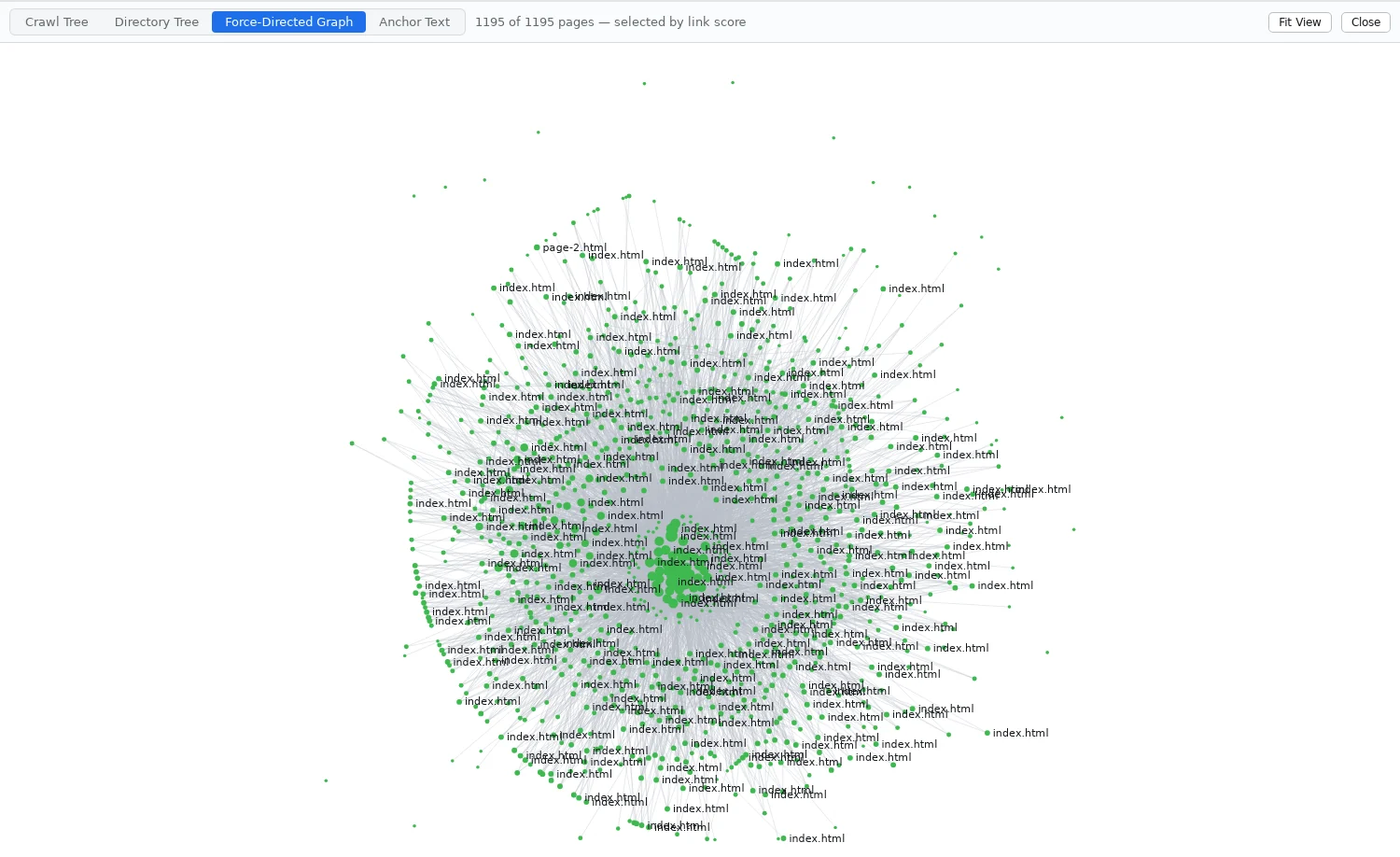
There are visualisations too: a crawl tree, a directory tree, a force-directed graph and a word cloud of anchor texts.
The connections to Search Console, Analytics and PageSpeed Insights are built but not yet tried against a real account.
The program is built with Claude Code, in Rust with an interface in Tauri and React, for Windows and macOS, and the icon was made with Codex. Three choices in the build account for the speed:
- Pages are read in a single pass with
lol_html, without building a document tree. On one thread that handles 1,900 realistic pages a second, so it's the network and the server that set the limit – never the parsing. - A single task owns the queue of addresses to fetch. The workers fetch and parse and send finished results back, without locks.
- The results are queried by column with Polars, so sorting and filtering hundreds of thousands of rows is fast.
The work was run from an issue board, as in my other projects. There are just over 350 tests in Rust and about twenty for the interface, and the app is also tried in a running window.
Along the way
Saving a crawl didn't work at all on Windows. A saved crawl showed up nowhere, and a new attempt gave an error about a locked file. The database locks its file, and on Windows such a lock applies to everyone – even someone who only wants to read and copy. On Linux the lock is only advisory, so the bug never showed there. Now the copy is written through the database's own open handle.
The password ended up in the crawl file. When crawling behind a login, the headers that were sent were saved in the file – including the one with the username and password, which could be read straight out. The code promised the opposite in a comment. Now the names of the headers the user added are saved, but not the values.
External sitemaps pulled in the whole internet. During a crawl of a real site, the queue suddenly grew from around 1,000 to 230,000 addresses. For every external link, that site's robots.txt was read and its sitemaps queued – with new external links, new robots.txt files and new sitemaps. Now sitemaps are followed only for your own site, and external addresses are only checked: status code and headers, no content.
Noindex in the response header was missed. A page that sets X-Robots-Tag: noindex in the response was reported as indexable. That's often exactly how PDFs and other files without an HTML head are controlled. Now the header is read like the meta tag.
Two rendering crawls killed each other. The built-in Chrome always started with the same profile directory, so a second crawl with JavaScript – from the app and the CLI at the same time – clashed with the first. Now each crawl gets its own.
Compared with Screaming Frog
Screaming Frog is the model, and it can still do more. It can, for example, log in through forms and extract fields with XPath. SEO Spider is faster. The parsing of the pages is measured, but I haven't yet done a side-by-side comparison with Screaming Frog.
What SEO Spider gives me:
- no subscription – the program is mine
- a faster crawler
- the same program on Windows and macOS, and a CLI for scripts
- a crawl file that can be recalculated without crawling the site again
Try it yourself
Under Files you'll find IDEA.md: a complete description of the program and everything I learned during the build, written as a brief. Give it in full to Claude Code and you have the groundwork for an SEO crawler of your own – the stack, the decisions that turned out to matter, the pitfalls above written as rules, and a ready-made prompt to start from.