 ExpenserExpense tracker that categorizes bank statements locally
Why my own expense tracker?
I had an Excel sheet with a monthly summary of where the money went, but it got too hard to maintain. And what I always wanted to know was how grocery costs go up year by year.
There are ready-made programs and services for this, but I find it sensitive to hand my transactions over to another site or program. That was a big reason I wanted one of my own: the bank statements should stay on my computer.
Expenser
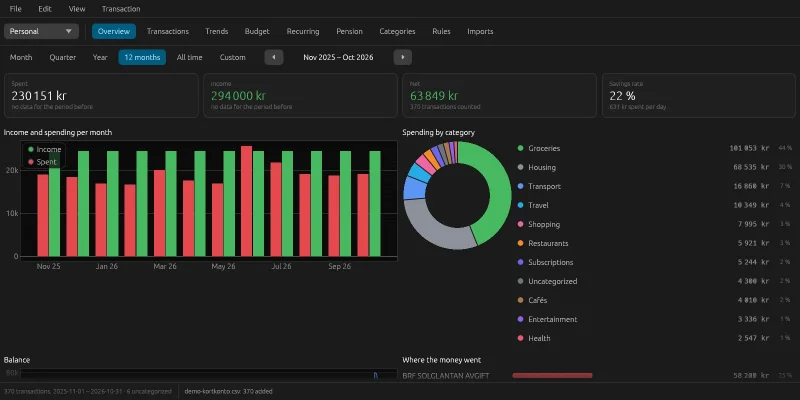
Expenser reads the bank's CSV exports into a local database, categorizes the transactions and shows where the money goes. You export the statement from the bank and drag the file into the window – nothing is sent anywhere. The image at the top shows the overview for the last twelve months: income against spending per month, spending per category, the balance and the payees the money went to. The screenshots were taken with made-up transactions, not my own.
The most important part is that the categories set themselves. The app starts with 17 categories and 260 rules for common Swedish shops and services, and the default rules categorize just over 80 % of my transactions straight away. Set a category by hand and the app suggests a rule for every transaction from the same payee, so it only has to be done once. Rules can match on text, the start of the text or regular expressions, and on amount and direction.
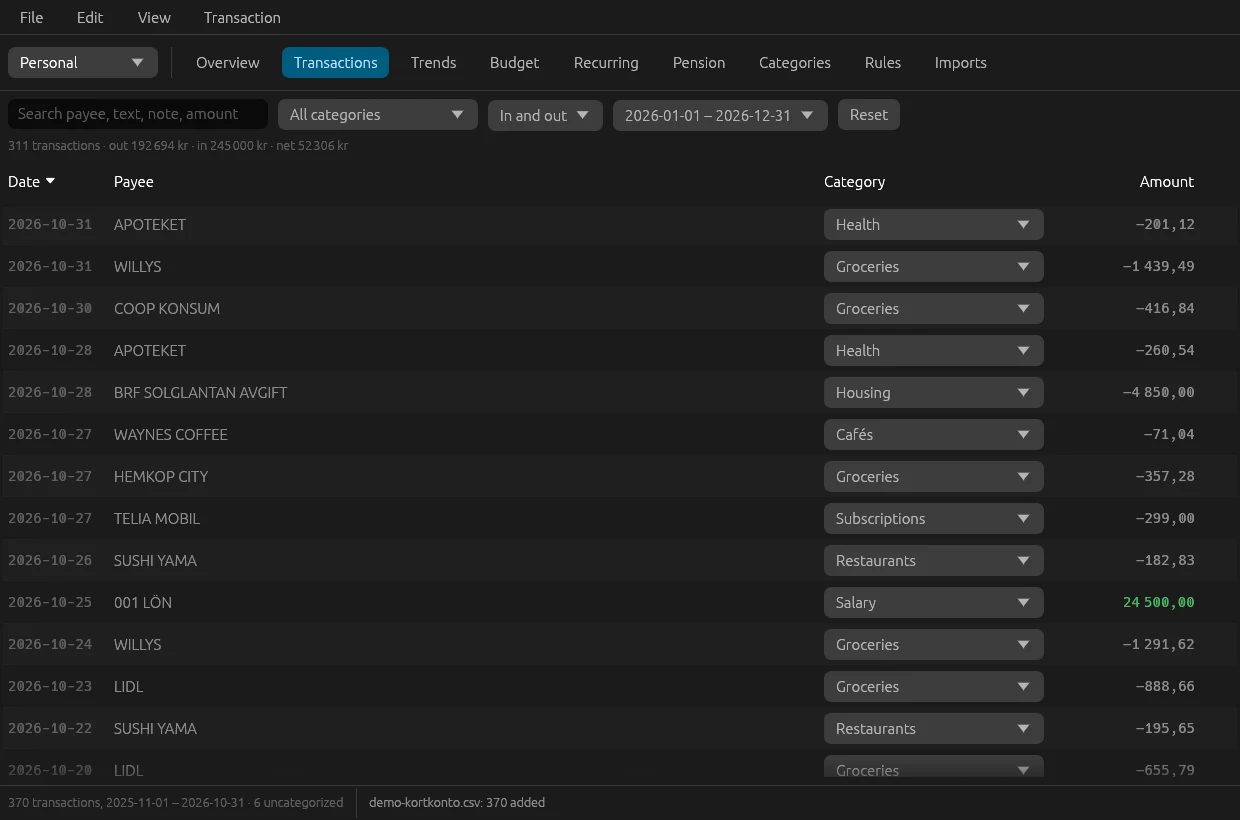
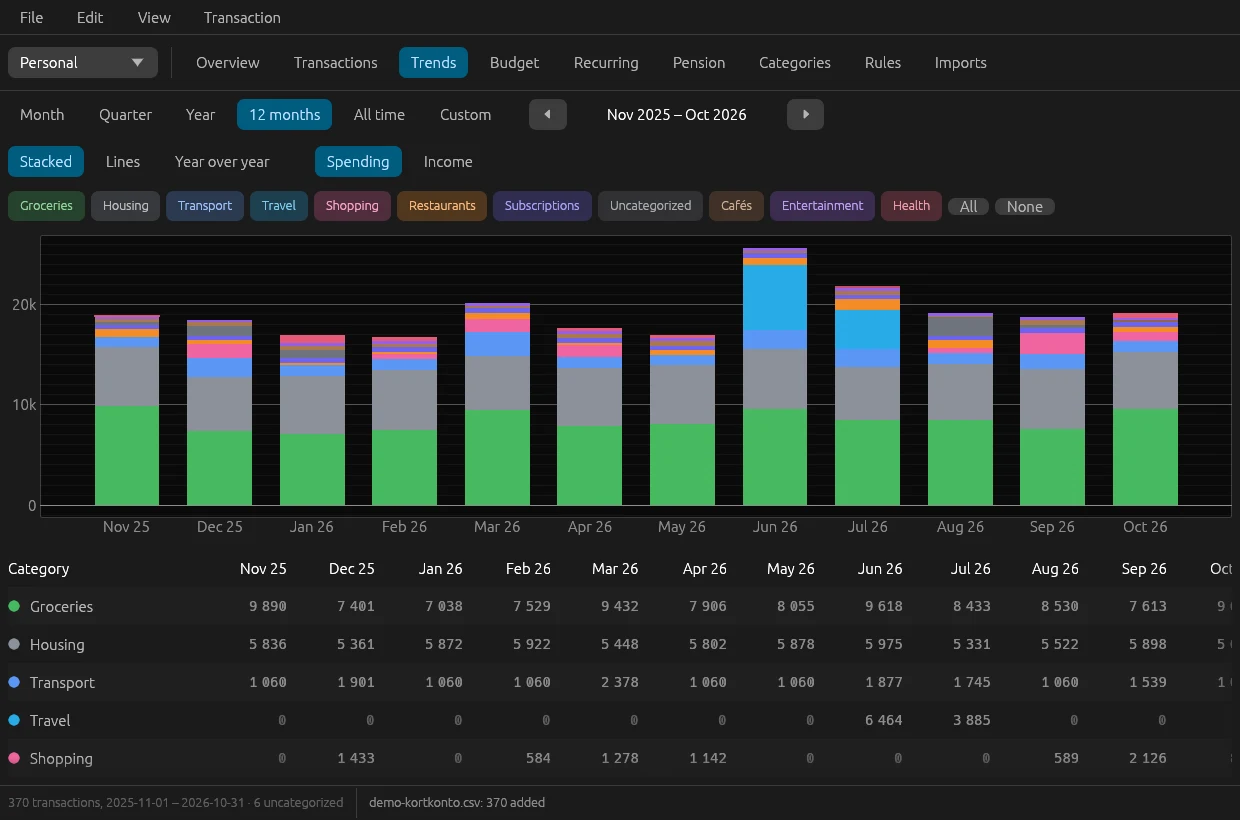
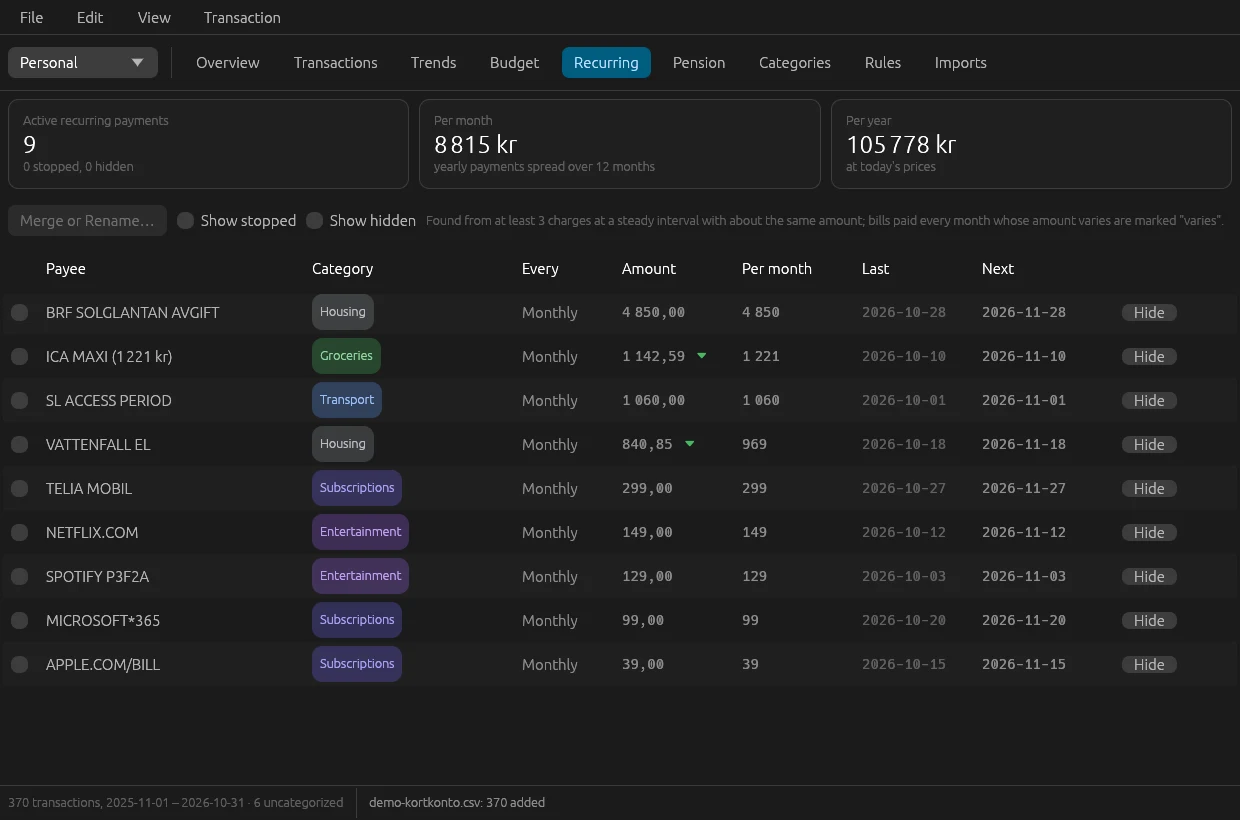
Besides the overview there's:
- a transaction list with search, filters, multi-select, notes, splitting a transaction across several categories, and export
- trends per category: stacked, as lines or year over year, with a table below
- a budget per category and month, with the average of the last 3 and 12 months as guidance
- recurring payments and subscriptions, found without you pointing them out
- several accounts, where transfers between your own accounts are recognized and never counted as income or spending
- several profiles with a database each, which can be open in separate windows at the same time
The program is built with Claude Code, in Rust with egui and egui_plot for the charts, for Windows and macOS. The icon was made with Codex. The database is an SQLite file in the user's data directory, and amounts are stored as integers in öre, never as floating point. Import and rules live in a library with no interface that's tested without a window, and some of the tests run against the real bank files when they're there. Reading just over 7,000 transactions from four files takes 121 ms.
The work was run from an issue board, as in my other projects. Claude Code started by going through similar programs and my bank files, split the work into issues and asked about what only I could answer – such as which accounts were my own.
Along the way
Å, ä and ö were broken in the bank's file itself. In the bank's newer export format, å, ä and ö are replaced with a replacement character, even in the header row. Card receipts also write # for Ä and ¦ or @ for Ö, and the bank truncates the text after 16 characters. So the format is recognized by the number and position of the columns, not their names, and the text is repaired against a word list and against words already in the database. After import, no broken characters were left.
The files overlap, but identical purchases aren't duplicates. Two exports from the bank can contain the same day. But two identical purchases in the same shop on the same day are two purchases. So duplicate detection counts how many times a transaction occurs in the file and only adds the ones beyond those already there. The key ignores every non-ASCII character, so repairing å, ä and ö can never decide whether a row counts as a duplicate.
Transfers couldn't be recognized by their text. At first there was a rule that made every "transfer via internet" an internal transfer. When a second account was read in, that turned out to be wrong: a transfer to someone else's account is spending. Now the account number in the reference decides. If it points at one of my own accounts it's an internal transfer, otherwise not. The card account's own number isn't even in its files, so the app learns it from the transfers that have a counterpart on the other account.
The electricity bill looked cancelled. Recurring payments are recognized by a steady cadence and roughly the same amount. The electricity bill is charged every month but varies a lot in amount, so it was rejected and shown as stopped. Now a payment with a steady cadence is accepted even when the amount varies, and it's marked as varying.
Subscriptions change their names. The same subscription can be called different things on the statement over the years as the service renames itself. In the list of recurring payments they can now be merged. That creates rename rules, so every charge gets the same payee and counts as one payment.
Compared with the alternatives
There are plenty of programs for this. When the build started, Claude Code went through Actual Budget, Firefly III, HomeBank, Monarch, Copilot and MoneyMoney to see what's usually included, and Expenser has the same basics: import with duplicate detection, rules that learn, budget, trends and recurring payments. I haven't tried any of them myself, so I can't compare them in practice.
What Expenser does for me:
- the transactions never leave the computer, and no account with any service is needed
- it's built for exactly my bank's export formats, broken characters and all
- the year-over-year trends, which were what I wanted out of the Excel sheet
What's missing: no bank connection – statements are exported and read in by hand – no currencies other than Swedish kronor, no sync between computers, and only the export formats my bank uses.
Try it yourself
Under Files you'll find IDEA.md: a complete description of the program and everything I learned during the build, written as a brief. Give it in full to Claude Code and you have the groundwork for an expense tracker of your own – for your bank's format.