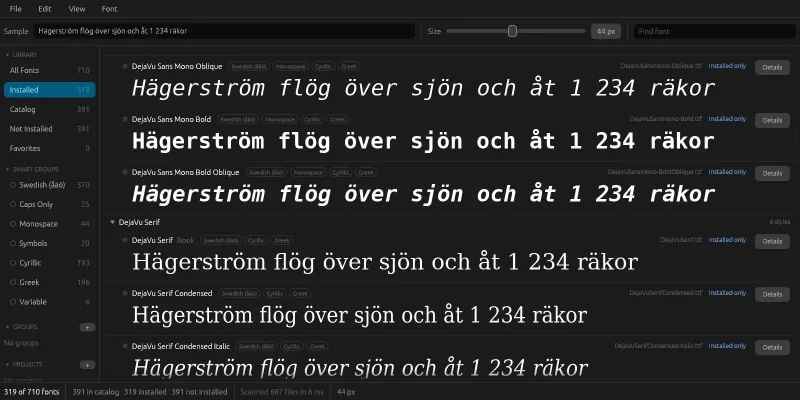
 FontorFont manager with a sample sentence, installation and smart groups
Why my own font manager?
The problem has always been the same: knowing which fonts are actually available, and being able to sort them by style. My font archive is a few thousand files across several folders, and without an overview it means searching at random every time I need a font.
I've used FontBase, but I didn't want to be limited by how it categorizes, tags and shows information about the fonts. I also wanted to be able to experiment – for example with letting the program sort the fonts by itself.
Fontor
Fontor shows every font in a list – both the ones in the archive and the installed ones – with a sample sentence of your choice at a chosen size. Every font gets a status: installed, installed in another version, not installed, or installed only (installed but not in the archive). A font is installed or uninstalled with a button on its row, for the current user only and without administrator rights. Uninstalling moves the file to the recycle bin, and system fonts are never touched.
If a font lacks a character in the sample sentence, the row says so: "Missing 2: äö". It sounds like a detail, but in the test archive 281 of 391 fonts lack å, ä or ö – and many of them look as if they have the characters until you type a Swedish word.
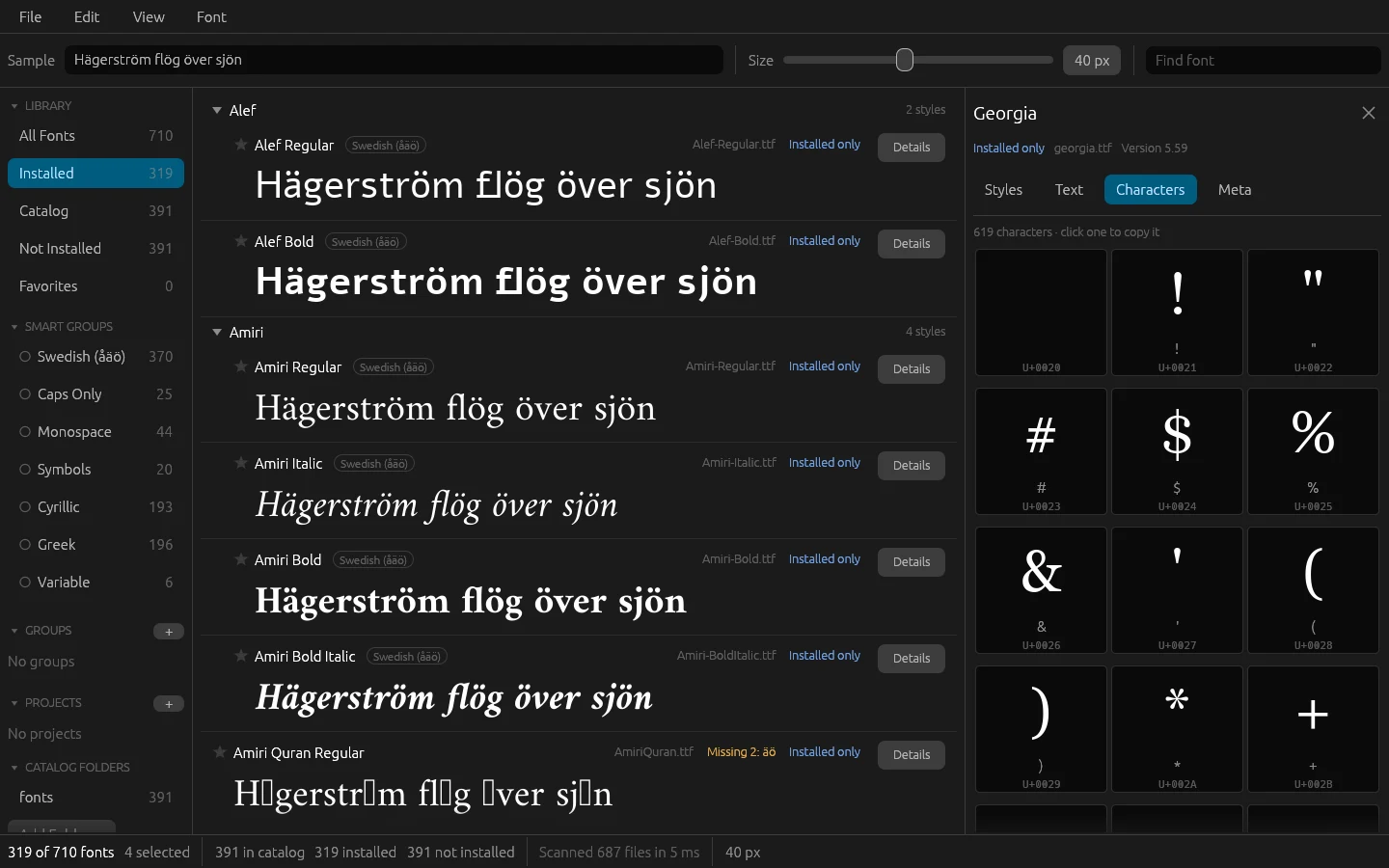
Besides the list there's:
- favorites, your own groups and projects, with colors and your own order, and tags on every row showing where the font belongs
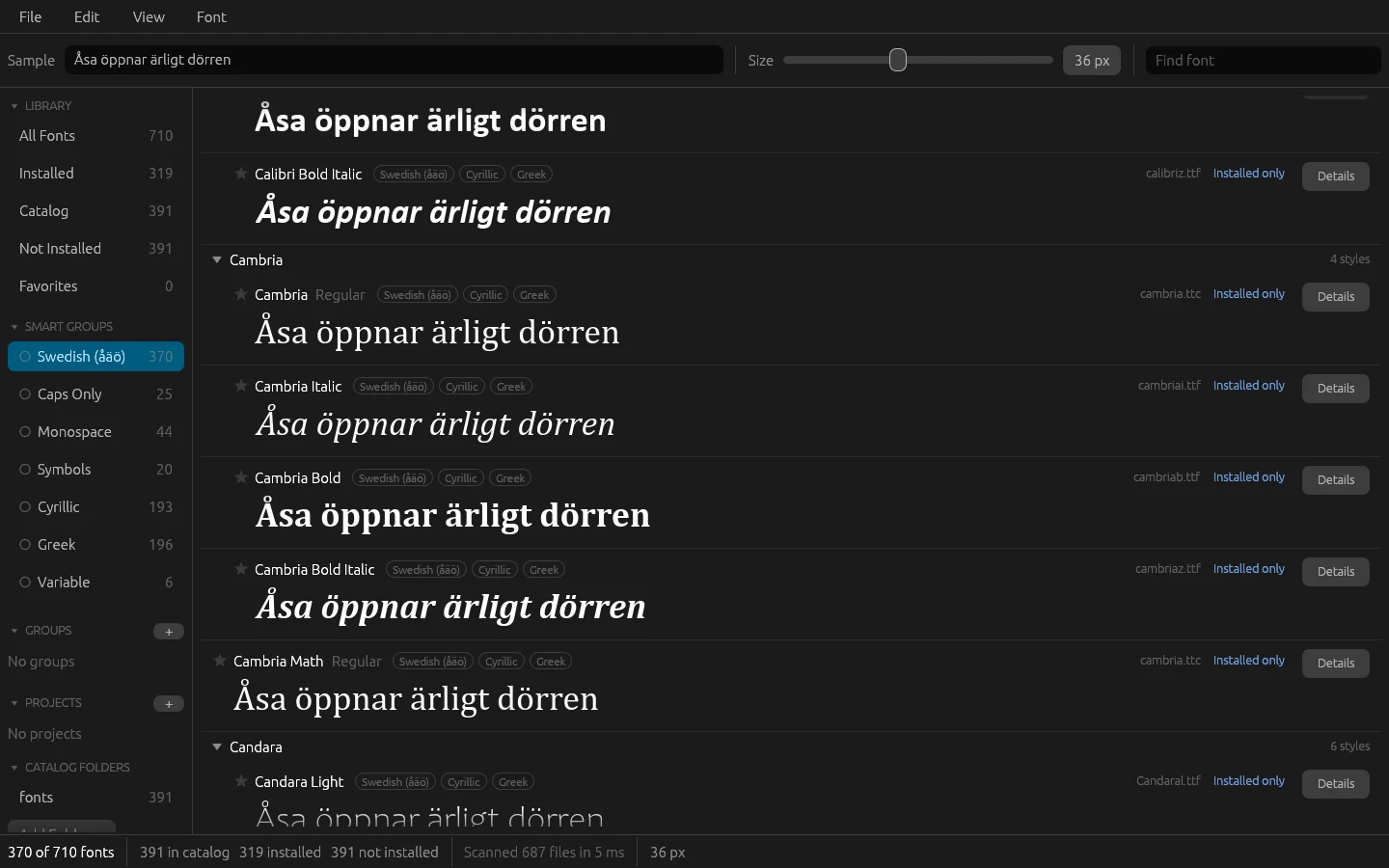
- smart groups computed from what the font can actually write: Swedish (åäö), Caps Only, Monospace, Symbols, Cyrillic, Greek and Variable
- archive folders in the sidebar, with counts and a view per folder
- a details panel with the family's styles, a sample sheet in decreasing sizes, every character and the font file's metadata
- projects that can be exported and imported as a file, and installed in one go
In development is an automatic style classification – Basic, Display, Script, Icons, Techno and Fancy – computed from the fonts' shapes. A first study of fifteen shape measures, measured against a first hand classification of just under 500 fonts, gave 87 % correct with three classes and 62 % with all six. Basic looks promising, while the other classes need more work.
The program is built with Claude Code, in Rust with egui, for Windows and macOS, and the icon was made with Codex. Fonts are read, shaped and rasterized with the swash library, with no C dependencies. The sample rows are drawn on their own thread and cached, because egui's own font system rebuilds the whole glyph atlas for every font that's added – with hundreds of fonts that doesn't work. A sample row is drawn in under a millisecond, and my real archive of 6,973 files is scanned in 259 ms, or 43 ms when the index already exists.
The work was run from an issue board, as in my other projects. Claude Code wrote a plan with milestones before the build began, and every issue was closed with a measurement.
Along the way
The font files' own style class couldn't be trusted. The idea was to read the style class stored in each font file. But it was empty or wrong in almost the whole archive. So the smart groups are based on what the font can actually draw – both the character map and the outlines.
Characters that exist but are empty. 29 fonts in the test archive claim to have å, ä and ö, but point them at empty glyphs. They drew a hole in the sample row without any warning. Now a character without an outline counts as missing, with the same rule for the sample row and the smart groups.
One broken file closed the whole program. Version 0.1.5 started, showed "Loading fonts" and closed on my real archive. 27 files had an unsorted table directory, which the font reader couldn't handle, and one had a broken glyph. The program was built so that a single error ended everything. Now the directory is sorted before the file is read, and errors are caught per font and per sample row – a broken font becomes a row with an error, not a crash.
A folder with 699 fonts showed 0. Every file in the folder also existed in other archive folders, and the same file is shown as one row. The row only remembered the first copy's path, so the folder seemed empty. Now a row counts towards every folder where a copy lives.
Windows Defender stopped a test program. A small test program that only installed fonts was blocked as soon as it was copied. The whole of Fontor with the same code got through. So installation is tested through the app itself.
Compared with FontBase
FontBase is what I used before, and it's a finished program. I haven't compared them feature by feature – Fontor is built for my own needs.
What Fontor gives me:
- the categorization, the tags and the font information are my own and can change whenever I want
- smart groups from what the fonts can actually write, like Swedish (åäö)
- missing characters flagged right on the sample row
- a place to experiment with automatic style classification
Try it yourself
Under Files you'll find IDEA.md: a complete description of the program and everything I learned during the build, written as a brief. Give it in full to Claude Code and you have the groundwork for a font manager of your own – the stack, the decisions that turned out to matter, the pitfalls above written as rules, the measured numbers and a ready-made prompt to start from.